Deploying software isn’t just about pushing new code; it’s about how safely and deliberately you roll it out.
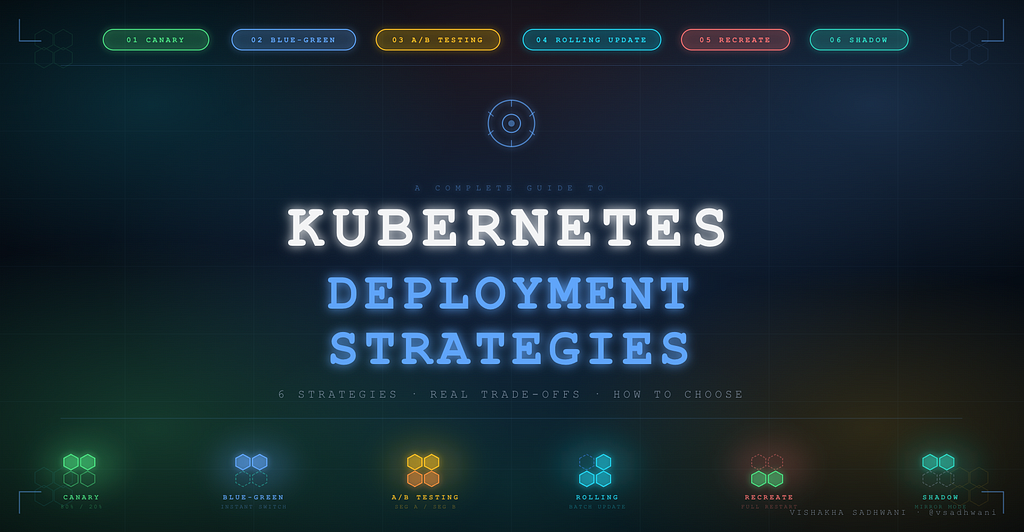
Deploying new software is easy. Deploying it safely is an art. Kubernetes gives you powerful primitives, but the strategy you choose is entirely up to you.
I’ve seen teams pick the wrong strategy for their use case, and pay for it with an outage, a week of debugging in production, or an infrastructure bill that made the CFO frown. So let’s break down all six, clearly and with honest trade-offs.
Deploying isn’t just about pushing new code; it’s about how safely, efficiently, and with what level of risk you roll it out.
The right deployment strategy ensures you deliver value without breaking production or disrupting users. Let’s dive in.
1. Canary Deployment
Test with real users before going all-in.
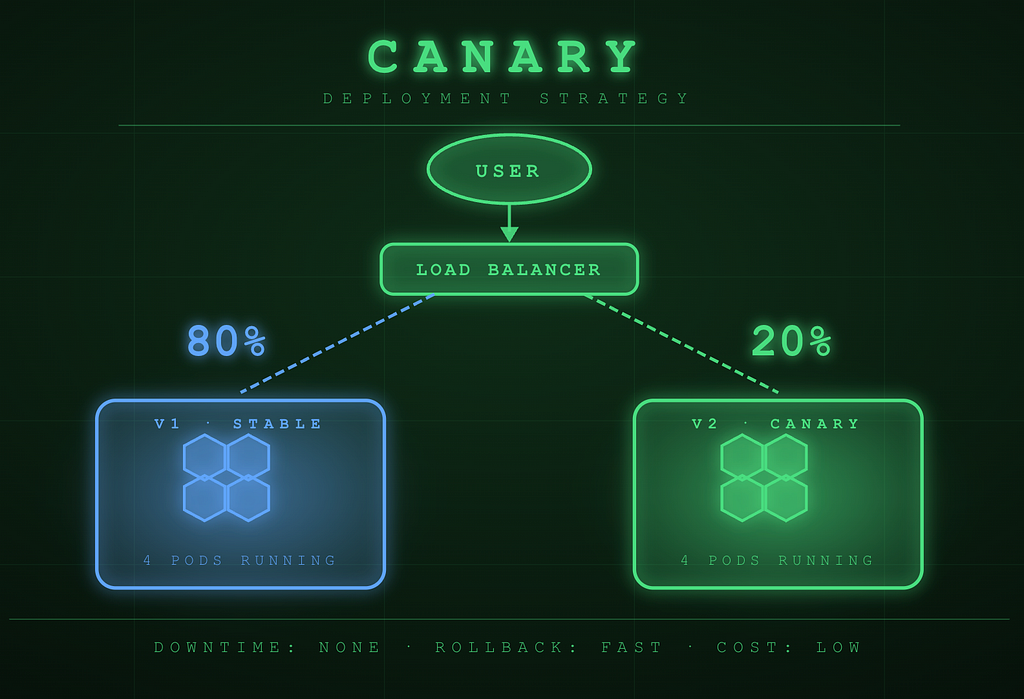
How it works: Gradually route a small percentage of traffic (e.g. 20%) to the new version before a full rollout. The rest of your users continue hitting the stable version while you observe the new one under real production conditions.
When to use: When you want to minimize risk by testing updates in production with real users without exposing your entire user base to potential issues.

2. Blue-Green Deployment
Two environments, one switch.
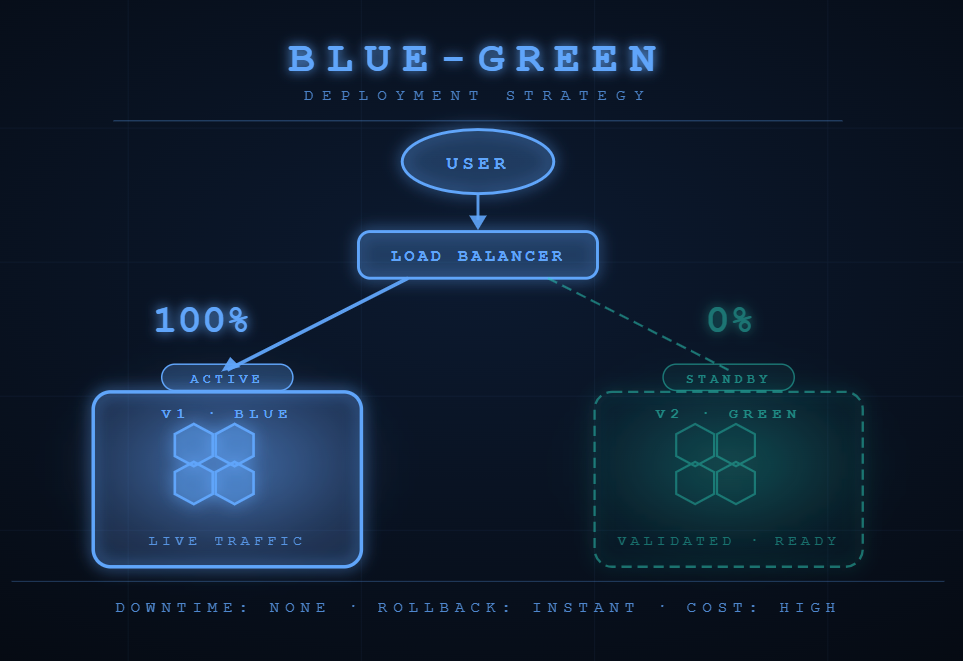
How it works: Maintain two identical environments, Blue (current) and Green (new). After validating the new version in Green, switch all traffic with a single load-balancer update. So rollback is just a switch flip back to Blue.
When to use: When you need an instant rollback option with zero downtime, and your team can afford to run duplicate environments.

3. A/B Testing
Let data pick the winner.
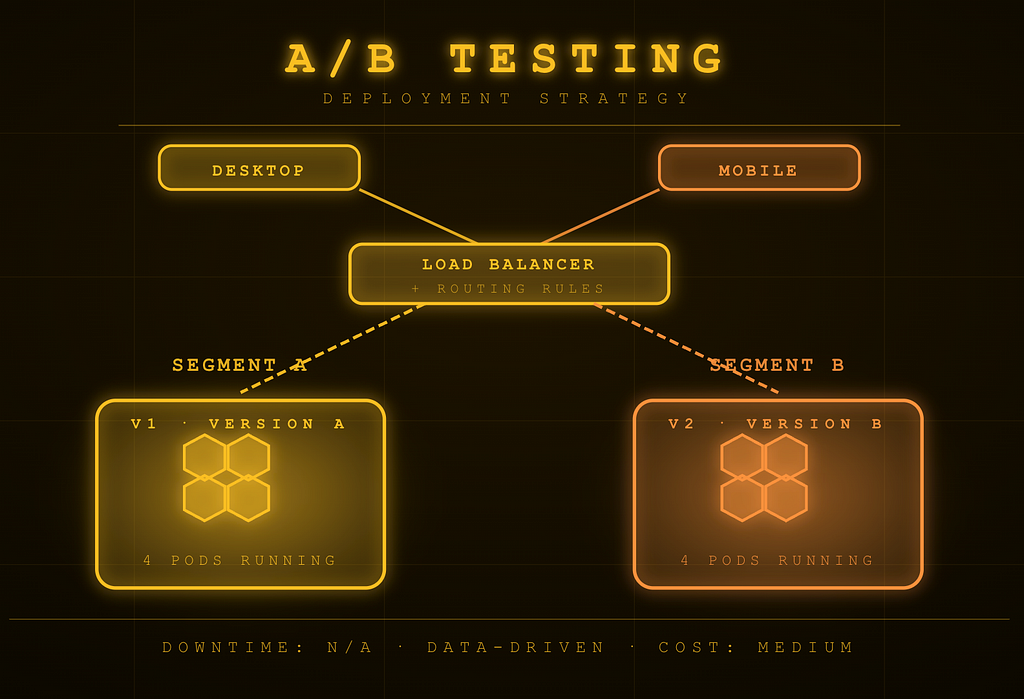
How it works: Split traffic between two versions based on user segments, device types, geography, or request headers. Both versions run simultaneously, and you collect metrics to determine which one performs better before making a decision.
When to use: When experimenting with features, UI changes, or algorithms, and you want quantitative user feedback before committing to a direction.

4. Rolling Update
Kubernetes’ default and for good reason.
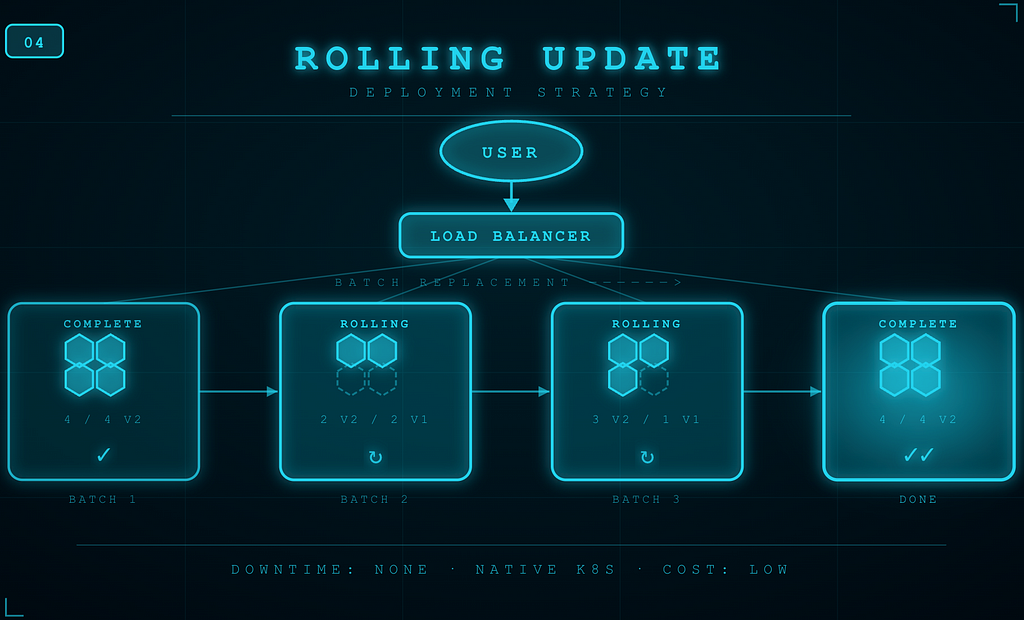
How it works: Gradually replace old pods with new ones, one batch at a time. You control the pace using maxSurge and maxUnavailable settings. Kubernetes handles this natively with no extra tooling required.
When to use: The go-to strategy for most stateless services. It is simple, native to Kubernetes, and delivers zero downtime with minimal configuration overhead.

5. Recreate
Shut it all down, then start fresh.
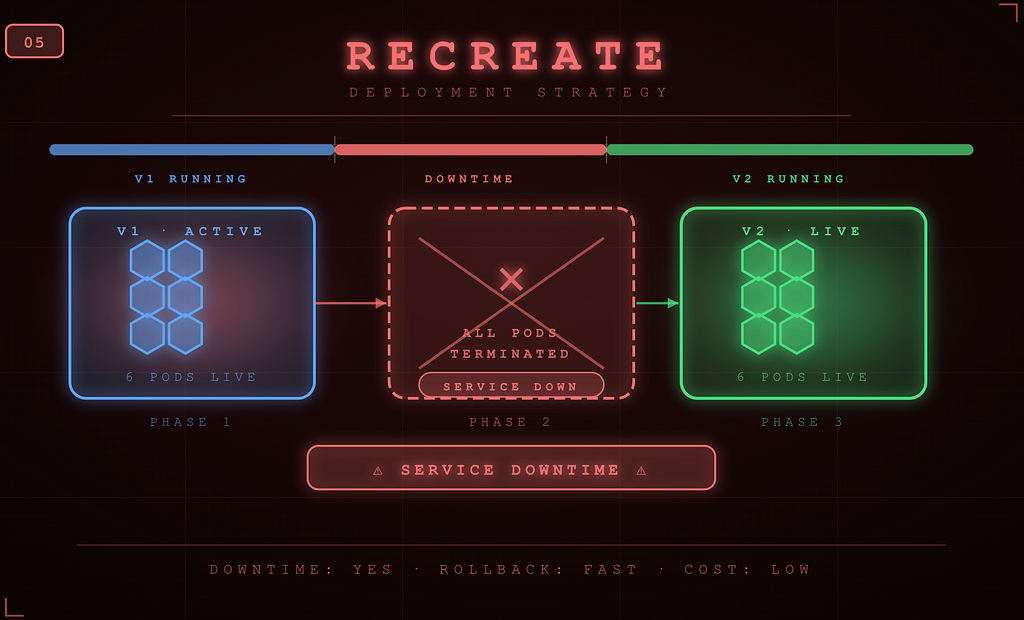
How it works: Shut down all old version pods completely, then start the new version from scratch. There is no overlap between versions and there exists a clean slate every time. Simple to reason about and straightforward to implement.
When to use: When your application cannot support running two versions simultaneously, for example, during major database schema migrations or when managing singleton services.

6. Shadow Deployment
Test in production without touching users.
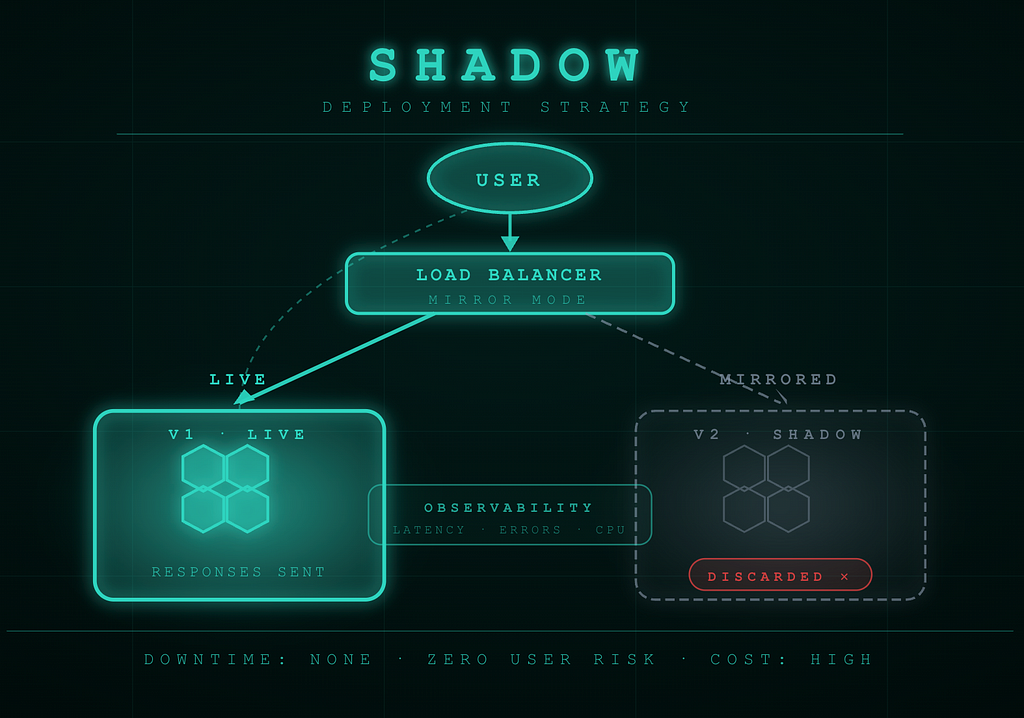
How it works: Mirror real production traffic to the new version in parallel, but discard its responses. Users only receive answers from V1, while V2 processes the same requests silently, allowing you to benchmark it under genuine production load without any user-facing risk.
When to use: When you need to validate how a new version performs under real workloads i.e. latency, error rates, resource consumption — before it ever serves a single user.
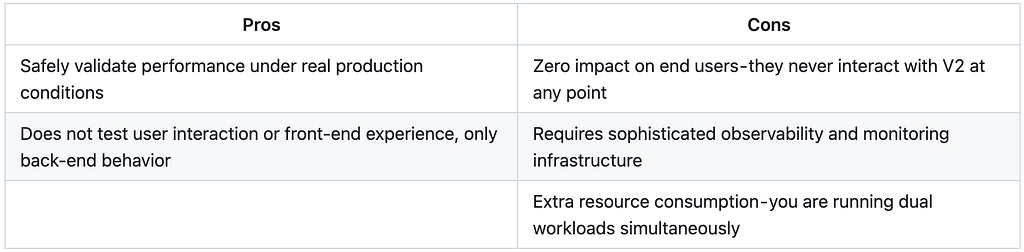
Quick Comparison
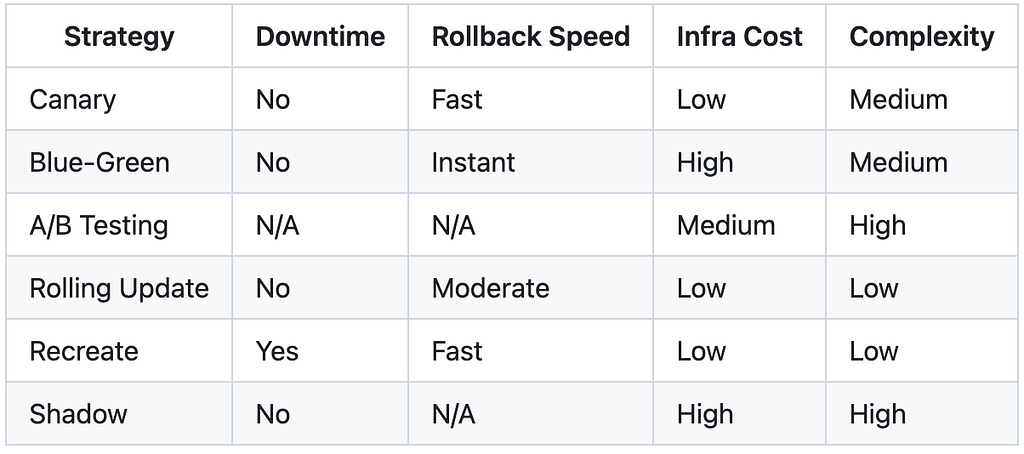
How to Choose the Right Strategy
There is no universal “best” → the right choice depends on your application, your team’s maturity, and how much risk you can absorb. Here is a practical starting point:
- Starting out? → Rolling Update is your safest default. It is native to Kubernetes, simple to configure, and handles most stateless workloads perfectly.
- Need instant rollback? → Blue-Green. The infrastructure cost is worth it if your SLA demands near-zero recovery time.
- Validating a high-risk change? → Canary or Shadow. Let real traffic tell you whether V2 is ready before it serves everyone.
- Shipping a product feature? → A/B Testing. Measure impact, not opinions. Let the data decide what ships.
- App cannot run two versions at once? → Recreate. Accept the downtime window, plan around it, and keep it as short as possible.
If this was useful, share it with your team. The right deployment strategy is a conversation worth having before the next release — not during an incident. And connect with me on LinkedIn to keep the conversation going!!
Stop Defaulting to Rolling Updates: 6 Kubernetes Deployment Strategies Explained was originally published in Towards AI on Medium, where people are continuing the conversation by highlighting and responding to this story.