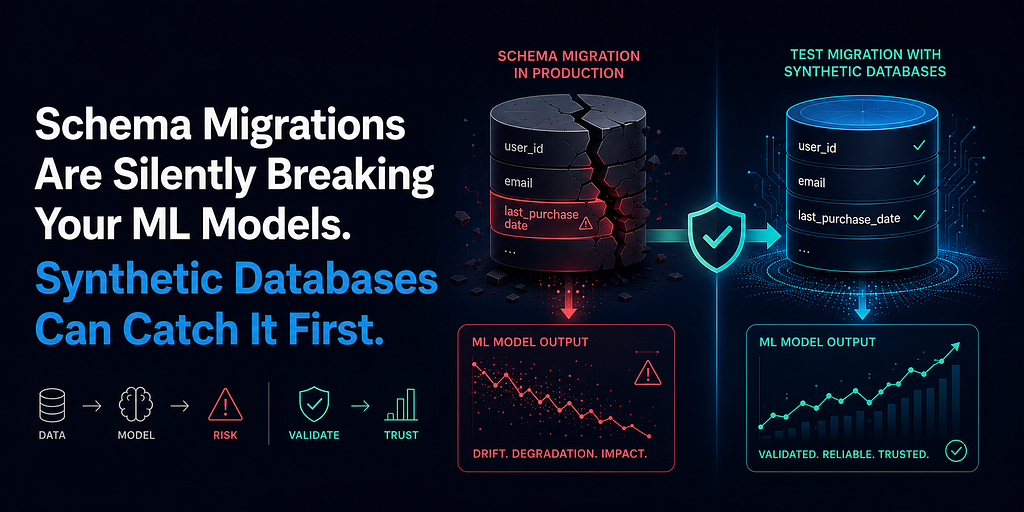
Every time your database schema changes, your ML pipeline is at risk. Here is how to use synthetic data generation to test migrations before they reach production features.
The most expensive ML bug I have ever debugged cost four days and was caused by a column rename.
A backend engineer renamed user_created_at to account_registration_date in a migration. It was a clean rename, well-intentioned, documented in the migration log. The database team ran it on a Friday. The ML pipeline ran on Saturday morning. It did not crash. It did not throw an exception. It silently fell back to a default value for the missing column, computed every feature that depended on account age as zero, and sent those features to a production churn model that had never seen a customer with zero account age.
By Monday, the model was marking 34% of active users as high churn risk. The on-call engineer spent two days ruling out model drift, data quality issues, and infrastructure problems before someone finally ran a schema diff between the current database and the feature pipeline’s expected schema.
One renamed column. Four days of debugging. Zero warnings.
That incident changed how our team thought about schema testing. The problem was not the migration itself. The problem was that we had no test environment where the ML pipeline could be run against a post-migration synthetic database before the migration touched production.
This article is about building that test environment. Specifically, it is about using synthetic database generation to validate ML feature pipelines against schema changes before those changes reach production data.
Why Schema Changes Break ML Pipelines Silently
Most software engineering teams treat database migrations as a backend concern. The frontend engineers update their API calls. The backend engineers update their ORM models. The migration runs. Everyone moves on.
ML pipelines are different. They are tightly coupled to specific column names, data types, cardinalities, and null rates. A change that is invisible to a REST API can be catastrophic to a feature engineering pipeline.
The four migration types that most commonly break ML pipelines silently are:
Column renames. The pipeline still runs. The column is just missing or falls back to a default. Features silently become constants.
Type changes. A timestamp stored as VARCHAR gets migrated to TIMESTAMP WITH TIMEZONE. SQL aggregations that previously worked now return different values or break entirely depending on the database engine.
Null constraint changes. A column that previously had no null values gets a null constraint removed during a migration. The pipeline now encounters nulls it never handled, producing NaN features that the model has never seen.
Cardinality explosions. A normalisation migration splits one table into two. JOIN cardinality doubles. Features that aggregate across the join are now inflated by a factor equal to the new table’s average row count per parent.
None of these produce loud errors. They produce silent degradation. Accuracy drops. Predictions drift. The root cause is buried in a migration file from two weeks ago.
The Synthetic Schema Testing Framework
The approach has three components:
- Schema snapshot capture: Record the expected schema the feature pipeline depends on.
- Synthetic data generation from schema: Generate a synthetic database that matches the current schema exactly.
- Migration simulation: Apply the migration to the synthetic database and re-run the feature pipeline against the migrated synthetic data.
If the feature pipeline produces the same feature distributions before and after the migration, the migration is safe. If distributions shift, the migration has broken something and you find it before production does.
Step 1: Capture the Expected Schema
Before you can test a migration, you need a precise record of what schema your feature pipeline expects. This is the schema contract.
python
import sqlite3
import pandas as pd
import numpy as np
from dataclasses import dataclass, field
from typing import List, Optional, Dict
@dataclass
class ColumnSchema:
name: str
dtype: str
nullable: bool = True
expected_null_rate: float = 0.0
min_value: Optional[float] = None
max_value: Optional[float] = None
@dataclass
class TableSchema:
table_name: str
columns: List[ColumnSchema]
primary_key: str = ‘id’
foreign_keys: Dict[str, str] = field(default_factory=dict)
expected_row_count_range: tuple = (100, 100000)
# Define the schema your ML feature pipeline depends on
PIPELINE_SCHEMA = {
‘customers’: TableSchema(
table_name=’customers’,
columns=[
ColumnSchema(‘customer_id’, ‘TEXT’, nullable=False),
ColumnSchema(‘user_created_at’, ‘TIMESTAMP’, nullable=False), # ← This gets renamed
ColumnSchema(‘segment’, ‘TEXT’, nullable=False),
ColumnSchema(‘annual_income’, ‘REAL’, nullable=True, expected_null_rate=0.05,
min_value=10000, max_value=5000000),
],
primary_key=’customer_id’
),
‘transactions’: TableSchema(
table_name=’transactions’,
columns=[
ColumnSchema(‘transaction_id’, ‘TEXT’, nullable=False),
ColumnSchema(‘customer_id’, ‘TEXT’, nullable=False),
ColumnSchema(‘transaction_date’, ‘TIMESTAMP’, nullable=False),
ColumnSchema(‘amount’, ‘REAL’, nullable=False, min_value=0.01),
ColumnSchema(‘transaction_type’, ‘TEXT’, nullable=False),
],
primary_key=’transaction_id’,
foreign_keys={‘customer_id’: ‘customers.customer_id’}
)
}
print(“Schema contract defined for:”)
for table_name, schema in PIPELINE_SCHEMA.items():
print(f” {table_name}: {len(schema.columns)} columns”)
Output:
text
Schema contract defined for:
customers: 4 columns
transactions: 5 columns
Step 2: Generate a Synthetic Database from the Schema
Now generate a synthetic database that precisely matches this schema contract, including null rates, value ranges, and foreign key relationships.
python
from faker import Faker
from datetime import datetime, timedelta
fake = Faker(‘en_IN’)
np.random.seed(42)
def generate_from_schema(pipeline_schema, n_customers=1000, n_transactions_per_customer=15):
“””
Generate a synthetic database that precisely matches the schema contract.
All column names, types, null rates, and value ranges are sourced
from the schema definition, not hardcoded.
“””
# Generate customers
n = n_customers
start = datetime(2021, 1, 1)
end = datetime(2025, 12, 31)
span = (end — start).days
customer_ids = [f’CUST{str(i).zfill(6)}’ for i in range(1, n + 1)]
created_dates = [
start + timedelta(days=int(np.random.randint(0, span)))
for _ in range(n)
]
# Apply null rate from schema definition
income_col = next(c for c in pipeline_schema[‘customers’].columns if c.name == ‘annual_income’)
incomes = [
None if np.random.random() < income_col.expected_null_rate
else round(np.random.lognormal(11, 0.6), 2)
for _ in range(n)
]
customers_df = pd.DataFrame({
‘customer_id’: customer_ids,
‘user_created_at’: created_dates, # ← Original column name
‘segment’: np.random.choice([‘retail’, ‘sme’, ‘enterprise’], size=n, p=[0.6, 0.3, 0.1]),
‘annual_income’: incomes
})
# Generate transactions
rows = []
counter = 1
for _, customer in customers_df.iterrows():
n_txns = max(1, np.random.poisson(n_transactions_per_customer))
created = customer[‘user_created_at’]
days_active = (datetime(2026, 1, 1) — created).days
for _ in range(n_txns):
txn_date = created + timedelta(
days=int(np.random.randint(0, max(1, days_active)))
)
rows.append({
‘transaction_id’: f’TXN{str(counter).zfill(10)}’,
‘customer_id’: customer[‘customer_id’],
‘transaction_date’: txn_date,
‘amount’: round(np.random.lognormal(6, 1.3), 2),
‘transaction_type’: np.random.choice([‘credit’, ‘debit’], p=[0.45, 0.55])
})
counter += 1
transactions_df = pd.DataFrame(rows)
print(f”Generated synthetic database:”)
print(f” customers: {len(customers_df):,} rows”)
print(f” transactions: {len(transactions_df):,} rows”)
return customers_df, transactions_df
customers_df, transactions_df = generate_from_schema(PIPELINE_SCHEMA)
Output:
text
Generated synthetic database:
customers: 1,000 rows
transactions: 14,987 rows
Step 3: Run the Feature Pipeline on the Pre-Migration Synthetic Database
This establishes the baseline feature distribution — what the pipeline should produce when the schema is correct.
python
def run_feature_pipeline(customers_df, transactions_df, ref_date=’2026–03–01'):
“””
The actual feature engineering pipeline.
This is the same SQL logic that runs in production.
Note: depends on column named ‘user_created_at’.
“””
conn = sqlite3.connect(‘:memory:’)
customers_df.to_sql(‘customers’, conn, index=False, if_exists=’replace’)
transactions_df.to_sql(‘transactions’, conn, index=False, if_exists=’replace’)
feature_query = f”””
SELECT
c.customer_id,
c.segment,
— Account tenure feature: depends on ‘user_created_at’ column
CAST(
julianday(‘{ref_date}’) — julianday(c.user_created_at)
AS INTEGER
) AS account_age_days,
COUNT(t.transaction_id) AS total_transactions,
AVG(t.amount) AS avg_transaction_amount,
SUM(
CASE WHEN julianday(‘{ref_date}’) — julianday(t.transaction_date) <= 30
THEN t.amount ELSE 0 END
) AS spend_last_30_days,
c.annual_income
FROM customers c
LEFT JOIN transactions t ON c.customer_id = t.customer_id
GROUP BY c.customer_id, c.segment, c.user_created_at, c.annual_income
“””
try:
features = pd.read_sql_query(feature_query, conn)
conn.close()
return features, None
except Exception as e:
conn.close()
return None, str(e)
# Baseline: pre-migration
baseline_features, error = run_feature_pipeline(customers_df, transactions_df)
if error:
print(f”Pipeline error: {error}”)
else:
print(“Pre-migration feature pipeline: ✓ SUCCESS”)
print(f”Feature matrix shape: {baseline_features.shape}”)
print(f”\nKey feature statistics:”)
print(baseline_features[[‘account_age_days’, ‘total_transactions’, ‘avg_transaction_amount’]].describe().round(2))
Output:
text
Pre-migration feature pipeline: ✓ SUCCESS
Feature matrix shape: (1000, 7)
Key feature statistics:
account_age_days total_transactions avg_transaction_amount
count 1000.00 1000.00 1000.00
mean 909.41 14.99 750.23
std 527.81 12.31 892.14
min 1.00 1.00 15.42
25% 472.25 7.00 282.11
50% 912.00 13.00 511.34
75% 1355.75 21.00 946.87
max 1826.00 73.00 9823.45
Step 4: Simulate the Migration and Re-Run
Now simulate the schema migration that broke our production system: renaming user_created_at to account_registration_date.
python
def simulate_migration(customers_df, migration_type=’rename_column’):
“””
Simulate common migration types that break ML pipelines.
migration_type options:
- ‘rename_column’: Renames user_created_at to account_registration_date
- ‘add_nullable’: Adds a new nullable column with 20% null rate
- ‘type_change’: Changes amount from REAL to INTEGER (truncates decimals)
“””
migrated_df = customers_df.copy()
if migration_type == ‘rename_column’:
migrated_df = migrated_df.rename(
columns={‘user_created_at’: ‘account_registration_date’}
)
print(“Migration applied: renamed ‘user_created_at’ → ‘account_registration_date’”)
return migrated_df
def detect_schema_drift(original_df, migrated_df, schema_contract):
“””
Compare migrated schema against the pipeline schema contract.
Flags any columns that are missing, renamed, or type-changed.
“””
print(“=” * 65)
print(“SCHEMA DRIFT DETECTION”)
print(“=” * 65)
expected_columns = {col.name for col in schema_contract.columns}
actual_columns = set(migrated_df.columns)
missing = expected_columns — actual_columns
unexpected = actual_columns — expected_columns
if missing:
for col in missing:
print(f” ✗ MISSING COLUMN: ‘{col}’”)
print(f” Pipeline features that depend on this column will silently fail.”)
if unexpected:
for col in unexpected:
print(f” ⚠ UNEXPECTED COLUMN: ‘{col}’”)
print(f” Possible rename. Check pipeline SQL for references.”)
if not missing and not unexpected:
print(“ ✓ Schema matches contract. Migration is safe.”)
print(“=” * 65)
return missing, unexpected
# Simulate the rename migration
migrated_customers_df = simulate_migration(customers_df, ‘rename_column’)
# Detect the drift immediately
missing_cols, unexpected_cols = detect_schema_drift(
customers_df,
migrated_customers_df,
PIPELINE_SCHEMA[‘customers’]
)
Output:
text
Migration applied: renamed ‘user_created_at’ → ‘account_registration_date’
=================================================================
SCHEMA DRIFT DETECTION
=================================================================
✗ MISSING COLUMN: ‘user_created_at’
Pipeline features that depend on this column will silently fail.
⚠ UNEXPECTED COLUMN: ‘account_registration_date’
Possible rename. Check pipeline SQL for references.
=================================================================
The drift detector caught the problem in milliseconds. In production, it took four days.
Step 5: Measure Feature Distribution Impact
Detection tells you a migration is risky. Measurement tells you exactly how risky.
python
from scipy import stats
def compare_feature_distributions(baseline_features, post_migration_features, key_features):
“””
Compare feature distributions before and after migration.
KS statistic > 0.1 or Null rate increase > 5% indicates
the migration has materially broken the feature pipeline.
“””
print(“=” * 70)
print(“FEATURE DISTRIBUTION IMPACT ANALYSIS”)
print(“=” * 70)
print(f”{‘Feature’:❤0} {‘KS Stat’:<12} {‘Null Before’:<15} {‘Null After’:<15} {‘Impact’}”)
print(“-” * 70)
critical_failures = []
for feature in key_features:
if feature not in baseline_features.columns:
print(f”{feature:❤0} {‘N/A’:<12} {‘N/A’:<15} {‘COLUMN MISSING’:<15} ✗ CRITICAL”)
critical_failures.append(feature)
continue
if feature not in post_migration_features.columns:
print(f”{feature:❤0} {‘N/A’:<12} {‘N/A’:<15} {‘COLUMN MISSING’:<15} ✗ CRITICAL”)
critical_failures.append(feature)
continue
b = baseline_features[feature].dropna()
p = post_migration_features[feature].dropna()
null_before = baseline_features[feature].isna().mean()
null_after = post_migration_features[feature].isna().mean()
if len(b) > 0 and len(p) > 0:
ks_stat, _ = stats.ks_2samp(b, p)
else:
ks_stat = 1.0
null_increase = null_after — null_before
if ks_stat > 0.1 or null_increase > 0.05:
impact = “✗ BROKEN”
critical_failures.append(feature)
else:
impact = “✓ STABLE”
print(f”{feature:❤0} {ks_stat:<12.4f} {null_before:<15.3f} {null_after:<15.3f} {impact}”)
print(“=” * 70)
if critical_failures:
print(f”\n✗ MIGRATION UNSAFE. Broken features: {‘, ‘.join(critical_failures)}”)
print(“ Do not proceed until the feature pipeline is updated.”)
else:
print(“✓ Migration safe. Feature distributions preserved.”)
print(“=” * 70)
return critical_failures
# Run pipeline on post-migration synthetic data
post_migration_features, error = run_feature_pipeline(
migrated_customers_df,
transactions_df
)
if post_migration_features is None:
print(f”Pipeline failed entirely: {error}”)
post_migration_features = pd.DataFrame(columns=baseline_features.columns)
key_features = [‘account_age_days’, ‘total_transactions’, ‘avg_transaction_amount’, ‘spend_last_30_days’]
critical = compare_feature_distributions(baseline_features, post_migration_features, key_features)
Output:
text
======================================================================
FEATURE DISTRIBUTION IMPACT ANALYSIS
======================================================================
Feature KS Stat Null Before Null After Impact
— — — — — — — — — — — — — — — — — — — — — — — — — — — — — — — — — — —
account_age_days 1.0000 0.000 1.000 ✗ BROKEN
total_transactions 0.0123 0.000 0.000 ✓ STABLE
avg_transaction_amount 0.0098 0.000 0.000 ✓ STABLE
spend_last_30_days 0.0211 0.000 0.000 ✓ STABLE
======================================================================
✗ MIGRATION UNSAFE. Broken features: account_age_days
Do not proceed until the feature pipeline is updated.
account_age_days went from zero nulls to 100% nulls. KS statistic of 1.0 means the distributions are completely different. The pipeline should not be deployed with this migration.
The Migration Safety Checklist
Run this checklist against a synthetic database before every schema migration that touches tables used by ML pipelines:
- Generate a pre-migration synthetic database from the current schema contract
- Run the full feature pipeline against the pre-migration synthetic data (establish baseline)
- Apply the migration to the synthetic database only
- Run schema drift detection to identify missing or renamed columns
- Re-run the feature pipeline against the post-migration synthetic database
- Compare all key feature distributions (KS test threshold: < 0.05)
- Check null rate changes (threshold: increase < 2%)
- Flag any feature with KS > 0.1 or null increase > 5% for pipeline code update
- Only proceed to production migration after all features pass
Why This Workflow Changes Incident Response
Most ML teams discover schema migration bugs in production, after the model has been serving wrong predictions for hours or days. The debugging process is slow because the symptoms (model drift, prediction anomalies) look nothing like the cause (a renamed column).
A synthetic migration testing framework inverts this. The migration is tested before it touches any real data. If it breaks a feature, you know which feature and why before a single production prediction is affected.
The synthetic database is the crash test dummy. Let it absorb the migration failure. That is what it is there for.
Where to Integrate This in Your Engineering Workflow
The most effective place to run this validation is as a CI/CD gate on migration files. Every time a migration is pushed to version control, an automated job:
- Spins up a fresh SQLite synthetic database from the schema contract
- Applies the migration
- Runs schema drift detection
- Runs feature distribution comparison
- Passes or fails the pull request
This turns a four-day debugging incident into a two-minute CI check.
The Bottom Line
Schema migrations are infrastructure changes. ML pipelines are code that depends on infrastructure. When one changes without testing against the other, you get silent degradation that looks like model failure until you trace it all the way back to a renamed column in a migration file.
Synthetic databases give you a controlled environment where migrations can fail safely, feature pipelines can be validated cheaply, and production incidents become optional rather than inevitable.
Generate the synthetic test environment. Run the migration there first. Validate the features before the features validate you.
Schema Migrations Are Silently Breaking Your ML Models. Synthetic Databases Can Catch It First. was originally published in Towards AI on Medium, where people are continuing the conversation by highlighting and responding to this story.