Moving from intuition-driven AI development to structured, enterprise-ready engineering
Over the last few months, I’ve been experimenting with different ways of building software with AI.
Like many, I started with “vibe coding” — fast, intuitive, and surprisingly effective… until it starts breaking under real-world complexity.
That’s when I started exploring a more structured approach: Spec-Driven Development (SDD) using IBM Bob and GitHub SpecKit.
This article is a reflection of that journey — what changed, what worked, and why I believe this shift matters, especially for enterprise-grade systems.
The Problem with “Vibe Coding”
Let me start with a simple metaphor I used in a recent session.
You ask AI to “generate an astronaut going to the moon.”

What you expected: a precise, mission-ready astronaut in a spacecraft.
What you got: an astronaut casually riding a rocket in the sky.
At first glance, it feels like the AI got it wrong.
But if you pause and re-read the prompt, you’ll probably realize something uncomfortable:
The AI didn’t misunderstand the problem — the problem was underspecified. It generated exactly what was asked — just not what was intended.
That gap between what we intend and what we specify is where Vibe Coding starts to break down.
It works well when:
- You’re exploring ideas
- You need something quickly
- Precision is not critical
But as soon as expectations tighten — especially in enterprise systems — the cracks start to show:
- Ambiguity in requirements
- Non-deterministic outputs
- Lack of traceability
- Difficulty in scaling or governing the solution
And that’s exactly where Spec-Driven Development begins to make a difference.
Enter Spec-Driven Development (SDD)
Spec-Driven Development flips the model.
Instead of:
prompt → code → fix → repeat
You move to:
specify → clarify → plan → validate → implement
This is much closer to how we’ve traditionally built software — but now augmented by AI.
The key difference is this:
The AI is not guessing what you want — it is executing against a well-defined specification. It brings the focus back to the proven software engineering practices.
IBM Bob + GitHub SpecKit: A Powerful Combination
SpecKit provides the structure — how you define and evolve specifications, while IBM Bob acts as the execution engine — turning those specs into working artifacts
Once you have IBM Bob installed as your IDE, getting started with SpecKit is straightforward. You start by installing specify-cli using one of the options provided by SpecKit. I used the uv based installation as below:
# install specify-cli
uv tool install specify-cli - from git+https://github.com/github/spec-kit.git

# check CLI version after installation
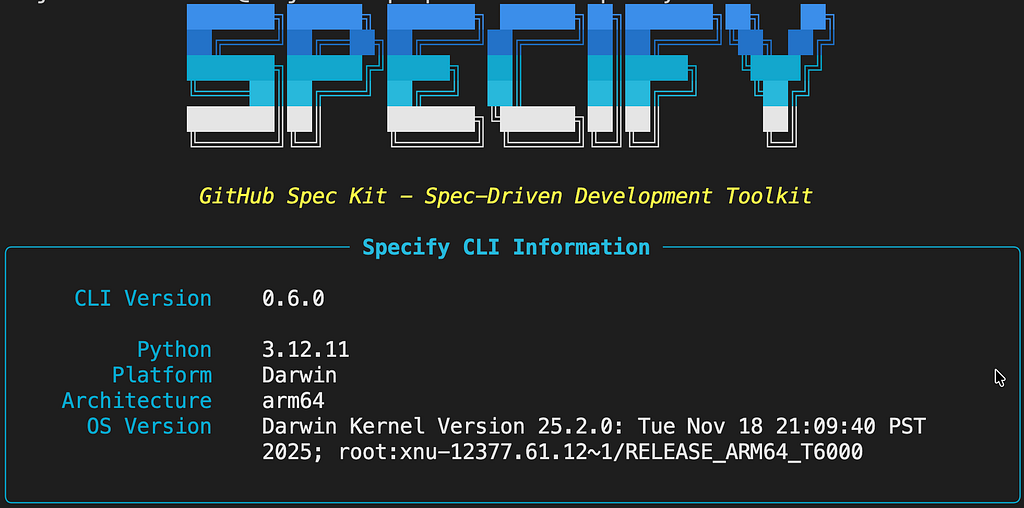
specify version
If the installation is fine, you should see something like below (based on your version of specify-cli)
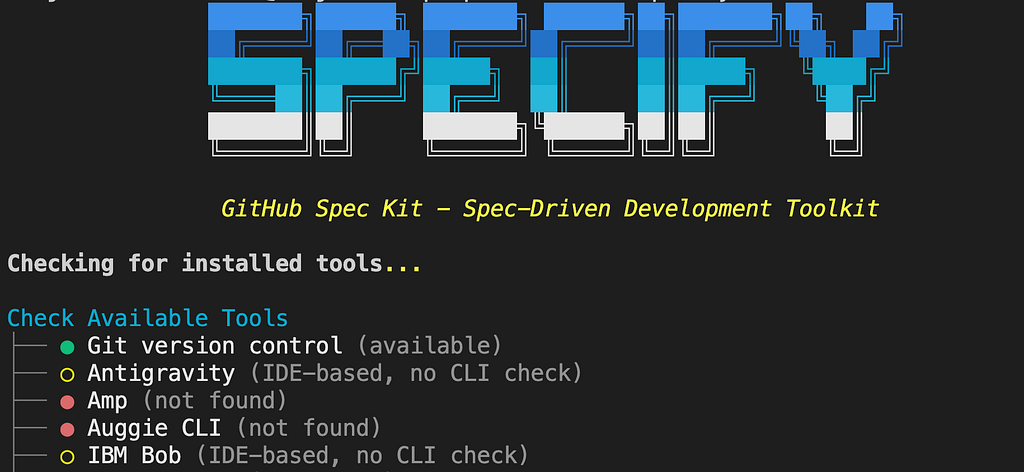
Now you can check for SpecKit dependencies such as git, ai-agents etc
# check specify-cli dependencies
specify check
Now you can scaffold your project with Bob & SpecKit metadata, as below.
# scaffold your project for using SpecKit and IBM Bob.
# If you want to scaffold in the current folder, then replace <project-name> with . (dot).
specify init <project-name> --ai bob
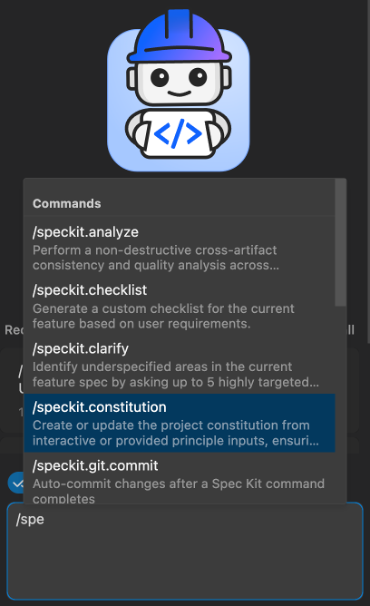
Once initialized, you will see meta-data folders such as .bob and .specify, with markdown-templates and scripts. With initialization, you will see the SpecKit commands directly inside Bob’s chat workflow, as below. That’s when things start to get interesting.
The SpecKit Lifecycle — What Changed for Me
What I found powerful is not just the tooling, but the disciplined lifecycle it enforces. Here’s the typical order in which SpecKit commands are executed in the agent’s chat workflow:
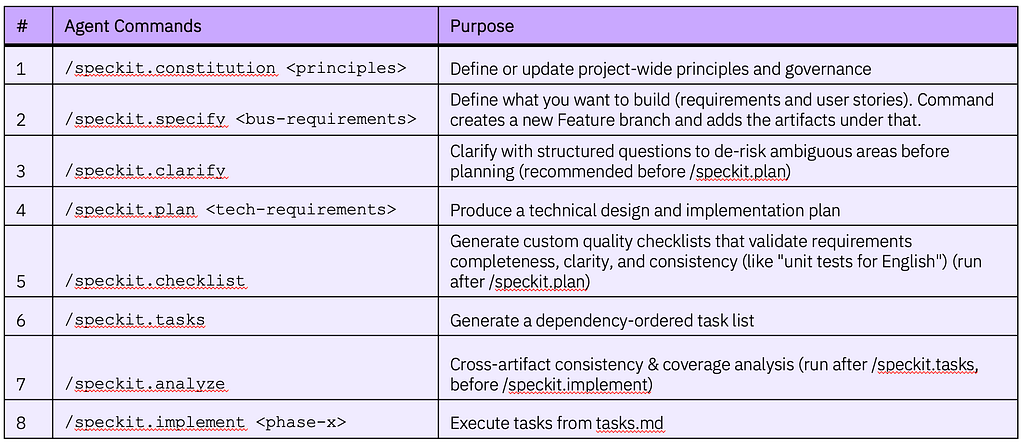
This is not just a command sequence — it’s software engineering discipline encoded into AI workflows.
SpecKit Lifecycle — What Gets Generated (and Why It Matters)
Instead of treating each command as a separate block, let’s look at what each step produces in the overall flow:
1. Define governance
/speckit.constitution <inline text or point to a file having principles>
Creates:
- .specify/memory/constitution.md → Project-wide principles (used across lifecycle)
2. Capture requirements
/speckit.specify <inline text or a file having bus-requirements>
Creates:
- A new Feature Git branch and adds the spec.md under that in the specs folder.
specs/[###-feature]/
├── spec.md # User Stories
3. Remove ambiguity
/speckit.clarify
Updates:
- spec.md → Refined with structured clarifications
4. Generate technical design
/speckit.plan <technical requirements>
Creates:
- The core design artifacts under the specs folder.
specs/[###-feature]/
├── plan.md # Implementation plan
├── research.md # Tech decisions
├── data-model.md # Data structures
├── quickstart.md # Dev bootstrap
├── contracts/ # APIs/Interfaces
5. Validate quality
/speckit.checklist
Creates:
- Checklist for completeness & clarity.
specs/[###-feature]/
├── checklist
    ├── requirements.md # Quality checklist
6. Break into execution steps
/speckit.tasks
Creates:
- tasks.md file under the specs folder
specs/[###-feature]/
└── tasks.md # Phase-wise Task Breakup
7. Ensure consistency
/speckit.analyze
Validates:
- Cross-artifact alignment (spec ↔ design ↔ tasks)
8. Execute iteratively
/speckit.implement <phase-x as per tasks.md>
Drives:
- Implementation based on tasks.md
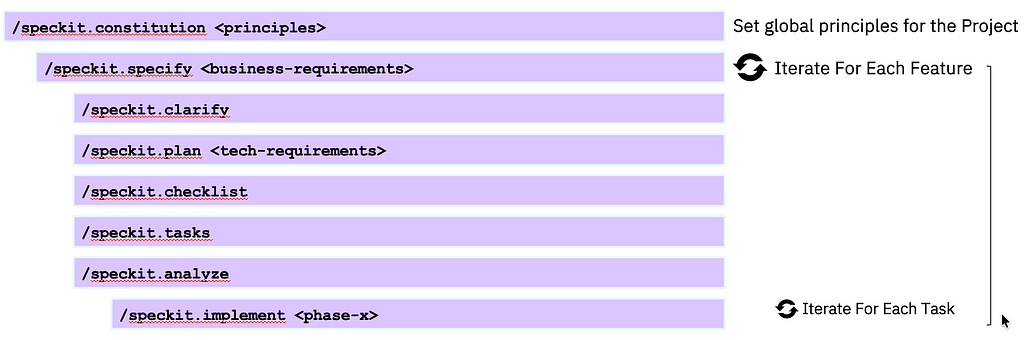
The SpecKit Lifecycle — Summary
What stood out to me is how each step produces a concrete artifact — making the entire process traceable, reviewable, and repeatable.
What Worked Well with SDD
From my experience:
1. Reduced ambiguity early
The /clarify step forces better thinking upfront.
2. Better architectural alignment
The /plan output aligns closely with how architects think:
- data models
- contracts
- tech decisions
3. Repeatability
Running the same spec gives consistent outcomes — a big win over prompt-driven approaches.
4. Team scalability
Artifacts are structured, versionable, and shareable.
What to Watch Out For
Let me be candid — this is not a silver bullet.
1. Initial overhead
Writing good specs takes effort. You don’t get “instant gratification” like vibe coding.
2. Learning curve
The lifecycle and commands require discipline.
3. Still evolving
Tooling (especially integrations) is maturing.
Final Thoughts
For me, the biggest takeaway was this:
AI doesn’t remove the need for engineering discipline — it amplifies it.
While Vibe coding gives you speed, Spec-driven development gives you control, traceability, and scale. In enterprise environments, where requirements evolve across multiple stakeholders, and traceability is non-negotiable, this shift becomes even more critical.
Just like the astronaut example earlier — the difference wasn’t the AI.
It was the clarity of the instruction.
And when you combine the power of GitHub SpecKit (structure) and IBM Bob (execution) — You start to see a path where AI becomes a true engineering partner, and not just a code generator.
I’d love to hear your thoughts or experiences — especially if you’ve tried similar approaches.
IBM Bob + GitHub SpecKit: A Powerful Combo for Spec-Driven Development was originally published in Towards AI on Medium, where people are continuing the conversation by highlighting and responding to this story.