Introduction
When organizations adopt AI-powered tools inside their data platform, the first question from security teams is always: “What can it access?”
Snowflake’s Cortex Code (CoCo) — the AI coding agent embedded in Snowsight and available as a CLI — is designed with a clear answer: it can only do what your role allows.
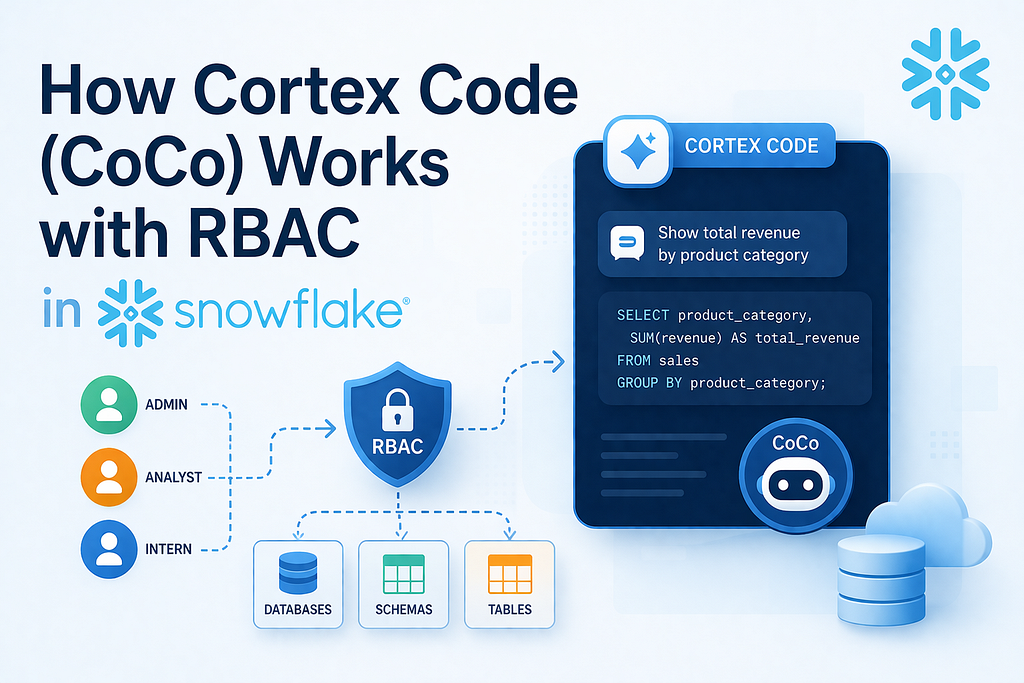
CoCo is not a backdoor. It is a pass-through agent — every action it takes is bounded by the same Role-Based Access Control (RBAC) rules as if the user ran the SQL themselves.
This article explains how CoCo and RBAC interact using a real-world enterprise scenario. For a fully executable, step-by-step hands-on lab, see the companion <Git Link>
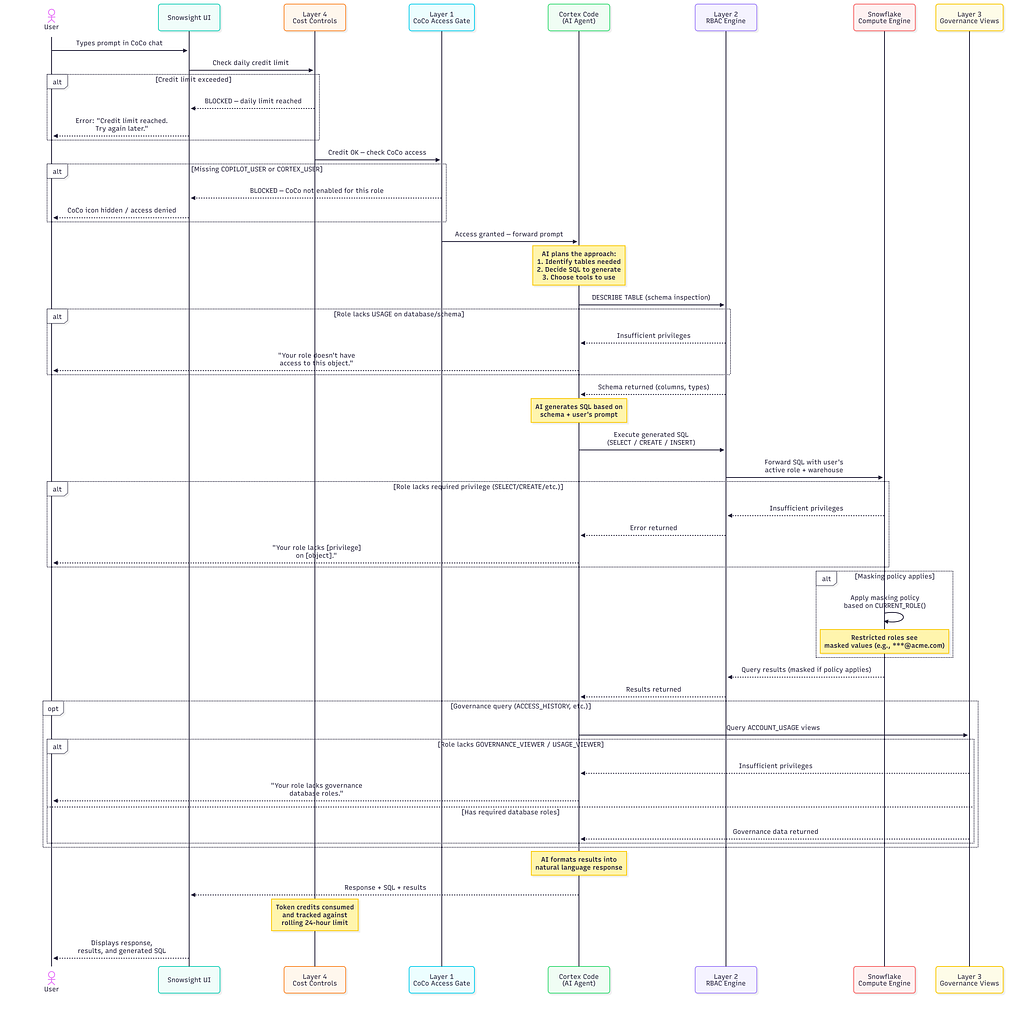
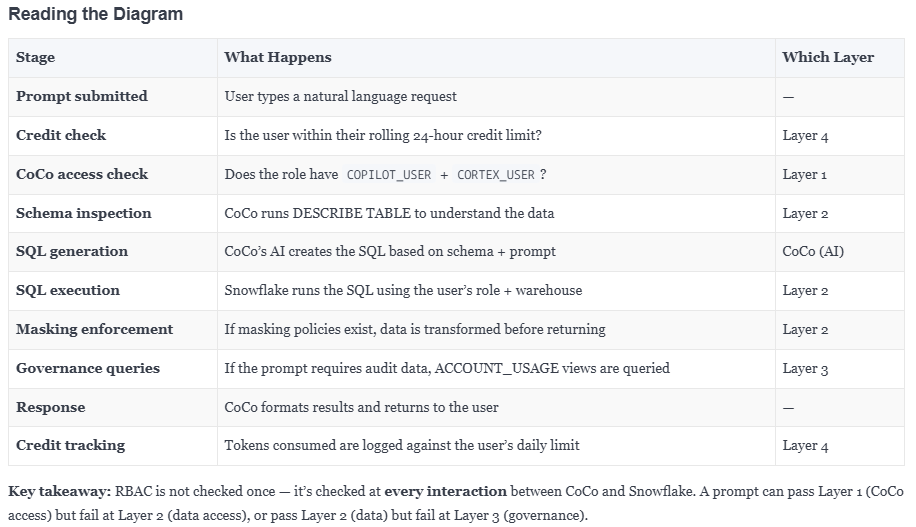
How CoCo Processes a Prompt — End to End
The Four Security Layers of CoCo
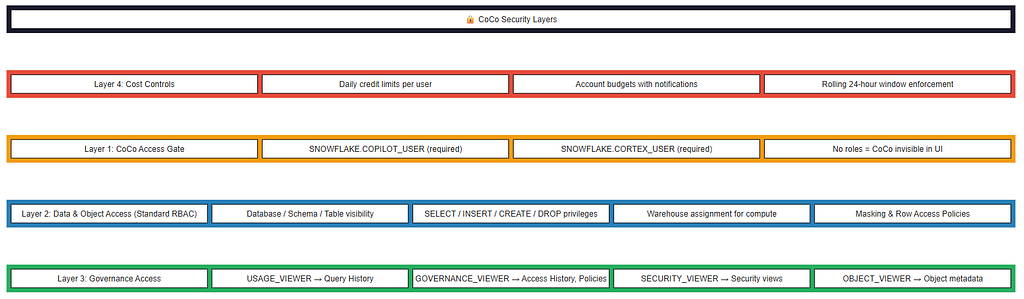
Layer 1: The CoCo Access Gate
Before a user can even open CoCo, their active role must have two database roles granted:

Layer 2: Standard RBAC — What CoCo Can Actually Do
This is the core layer. CoCo operates under the user’s active session role. If your role can’t SELECT from a table, CoCo can’t either. If your role can’t CREATE TABLE, CoCo’s DDL will fail.
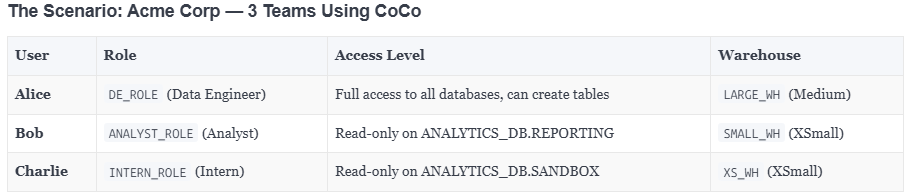
Same Prompt, Three Different Outcomes
All three type the exact same prompt into CoCo:
“Show me all customer PII from RAW_DB.CUSTOMERS and create a summary table in ANALYTICS_DB.REPORTING”

Layer 3: Governance Access — Who Can Ask “Who Accessed What?”
CoCo has built-in governance skills (access history, classification, lineage). But these require additional database roles on the SNOWFLAKE database:
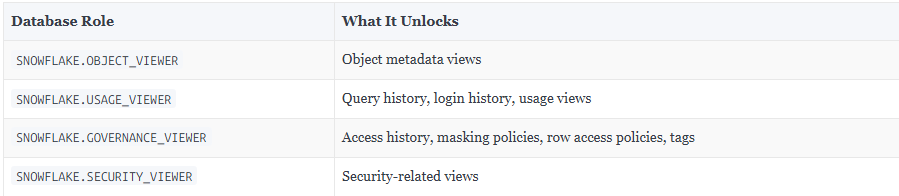
All three users ask CoCo: “Who accessed the CUSTOMERS table last week?”

Layer 4: Cost Controls — Budget Boundaries Per User
CoCo consumes credits based on token usage. Without limits, a single user could burn through your credit allocation. Snowflake provides two dedicated parameters:

Each tracks a rolling 24-hour window. When a user hits the limit, CoCo is completely blocked — not just a warning. No tokens are consumed, no SQL is generated

Limits can be set at the account level (applies to all users) or per-user (overrides the account default). Only ACCOUNTADMIN can set these parameters.
References: https://docs.snowflake.com/en/user-guide/cortex-code/credit-usage-limit
Can One User See Another User’s Prompts?
No. This is the most common security concern, and the answer is unambiguous.
Where Conversations Live

What Usage History Views Reveal
The CORTEX_CODE_SNOWSIGHT_USAGE_HISTORY view in ACCOUNT_USAGE shows metadata only:
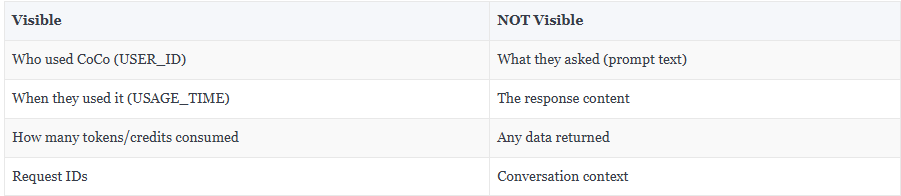
CoCo prompt content is not stored in any queryable Snowflake object. Not even ACCOUNTADMIN can see another user’s prompts.
Reference: https://docs.snowflake.com/en/sql-reference/account-usage/cortex_code_snowsight_usage_history
Summary
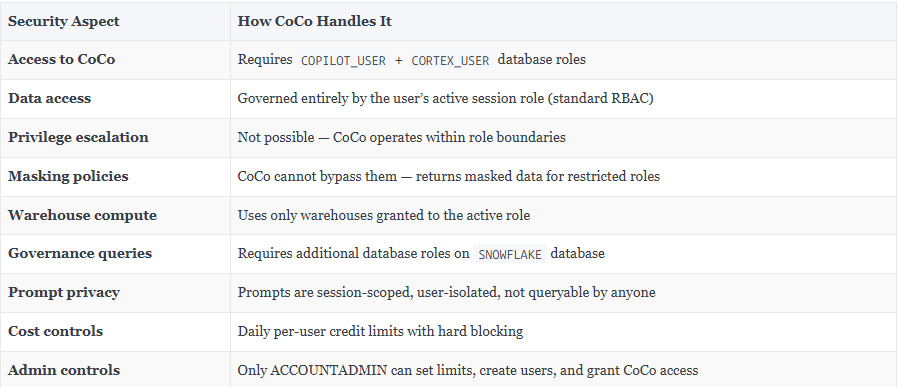
CoCo is a powerful accelerator, but it respects every security boundary Snowflake has built. Your RBAC policies are the guardrails — CoCo simply operates within them.
Want to try this yourself?
The companion quickstart.md <Git link>provides a complete hands-on lab with sample data, 3 test users, 26 CoCo prompts, and full cleanup scripts. No prior Snowflake experience required.
If you are exploring Snowflake Cortex Code (CoCo) or planning to enable it for your team, happy to connect and exchange thoughts.
I’ve been working closely on Snowflake and modern data platforms, and always open to discuss real-world use cases, challenges, or even different approaches that are working across teams.
Feel free to reach out on LinkedIn : https://www.linkedin.com/in/rahul-sahay-8573923/
How Snowflake Cortex Code (CoCo) Works with RBAC: A Complete Security Guide was originally published in Towards AI on Medium, where people are continuing the conversation by highlighting and responding to this story.