Introduction to Kafka and its Architectural Context
Apache Kafka is a distributed event streaming platform designed to handle high-throughput, fault-tolerant data pipelines. It enables applications to publish and subscribe to streams of records in real time, providing a unified, durable, and scalable messaging backbone that supports both batch and stream processing workloads.
Kafka is widely used in scenarios such as real-time analytics, where large volumes of event data must be processed with minimal delay; log aggregation, consolidating logs from multiple sources for monitoring and troubleshooting; and event sourcing, maintaining a reliable and immutable sequence of state changes for business entities. These use cases demand a platform that can ingest millions of events per second while ensuring no data loss and timely delivery.
To meet these demands, Kafka’s architecture addresses several key challenges:
- Durability: Ensuring written events are persistently stored and can survive broker failures.
- Scalability: Allowing seamless scaling of data streams through partitioning and distributed brokers.
- Low latency: Providing near real-time event delivery to consumers with minimal overhead.
- Fault tolerance: Maintaining availability and data consistency despite hardware or network failures.
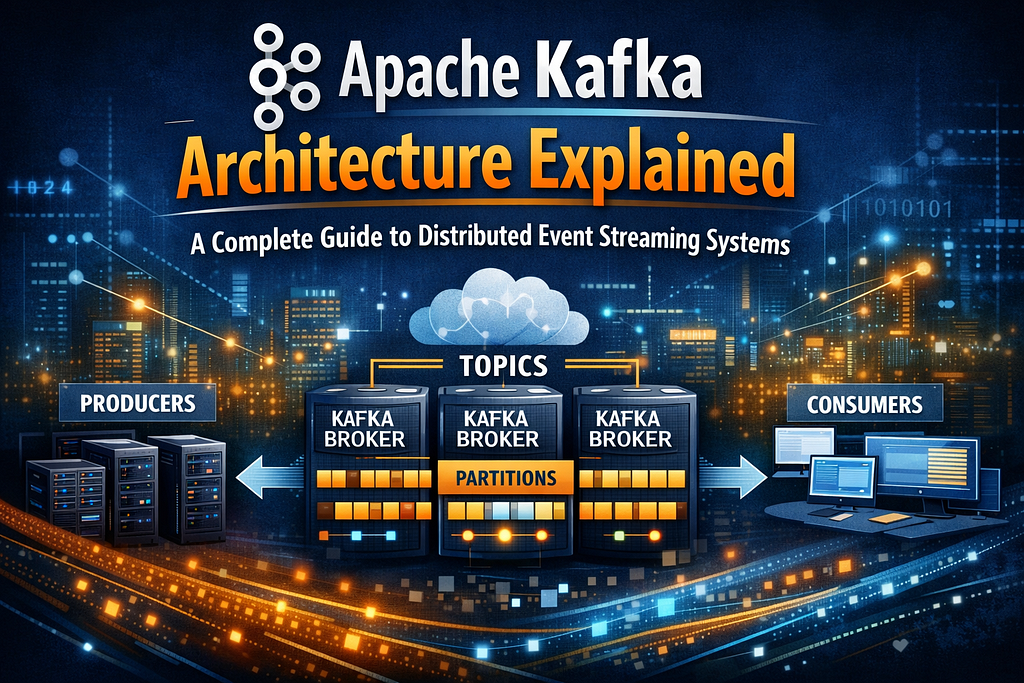
At a high level, Kafka’s architecture consists of several core components:
- Brokers: Kafka servers that store data and serve client requests.
- Topics: Logical channels to which events are published.
- Partitions: Subdivisions of topics enabling parallelism and load balancing.
- Producers: Clients that publish events to topics.
- Consumers: Clients that read events from topics.
- Zookeeper or KRaft (Kafka Raft Metadata mode): Cluster coordination services managing metadata and leader election.
Understanding these components and how they interact is crucial for leveraging Kafka’s capabilities to build robust, scalable event-driven systems.
Core Components of Kafka Architecture
Kafka Broker
A Kafka broker is a server instance that handles data storage and client interactions within a Kafka cluster. Each broker maintains logs for several topic partitions on disk, guaranteeing durability and fault tolerance through replication. Brokers respond to client requests from producers and consumers by receiving, storing, and serving messages. They coordinate with cluster metadata to identify partition leaders and replicas, ensuring reads and writes are directed appropriately to maintain consistency. Brokers use the segment-based storage format for efficient disk usage and support asynchronous I/O to handle high throughput.
Topics and Partitions
Topics are logical categories or feeds to which records are published. Inside Kafka, topics are split into multiple partitions — ordered, immutable sequences of messages stored sequentially. Partitions serve as the unit of parallelism and scalability: each partition can be hosted on a separate broker, distributing load and increasing throughput. Since a partition is processed sequentially, messages within a partition are ordered, but there is no ordering guarantee across partitions within the same topic. This design enables Kafka to scale horizontally by increasing partitions, but trades off global ordering for throughput and parallelism.
Producers and Partitioning Strategy
Producers publish messages to Kafka topics and decide which partition to send each message to, based on a partitioning strategy. Common strategies include:
- Round-robin: evenly distributes messages across partitions for load balancing.
- Key-based hashing: uses a message key to consistently hash and route related messages to the same partition, preserving order for that key.
Partition choice affects data locality, ordering guarantees, and consumer workload distribution. Producers asynchronously send batches of messages to brokers, optimizing network efficiency. Proper partitioning improves parallel consumption and minimizes processing hotspots.
producer.send("topic_name", key=b"userID123", value=b"event_data")Consumers and Consumer Groups
Consumers read messages from Kafka and can operate individually or as part of consumer groups. A consumer group is a set of consumers coordinating to consume a topic’s partitions collectively, where each partition is assigned to exactly one consumer in the group. This ensures:
- Parallel processing: multiple consumers handle different partitions concurrently.
- Fault tolerance: if a consumer fails, remaining consumers reassign partitions to avoid data loss or duplication.
Offset tracking is managed by Kafka, allowing consumers to resume from their last committed position. This group-based consumption model facilitates scalable and reliable stream processing.
Metadata Management: ZooKeeper and KRaft
Kafka uses a metadata manager to maintain cluster state, including topic configurations, partition assignments, controller election, and leader election for partitions. Historically, ZooKeeper handled this role, serving as a distributed coordination service external to Kafka. ZooKeeper maintains cluster metadata with reliable consensus and watches for state changes.
Recently, Kafka introduced KRaft (Kafka Raft Metadata mode) to replace ZooKeeper with an internal consensus protocol based on the Raft algorithm. KRaft simplifies deployment by embedding metadata management inside Kafka brokers. Both systems ensure consistent cluster metadata, fault-tolerant leader elections, and smooth cluster operations.
Understanding these components provides a foundation to build scalable, resilient Kafka-based event-driven systems by leveraging broker roles, topic partitioning, producer and consumer workflows, and reliable cluster metadata management.
Kafka’s Data Storage and Replication Model
Kafka’s core abstraction for data storage is an append-only commit log, designed to optimize for high-throughput and durability through sequential disk I/O. Instead of random writes, Kafka writes messages sequentially to a log segment file on disk, minimizing seek time and leveraging OS page cache effectively. This design allows Kafka to sustain millions of writes per second with low latency.
Each topic is divided into partitions, and each partition is an ordered, immutable sequence of messages. Messages are appended to the end of the partition log and assigned a unique, monotonically increasing offset. Consumers use these offsets to track their progress, enabling efficient replay and fault recovery.
Here’s a minimal Python-like pseudocode sketch illustrating log appending and offset assignment within a single partition:
class PartitionLog:
    def __init__(self):
        self.log = []  # underlying storage (disk-backed in real Kafka)
        self.next_offset = 0
    def append_message(self, message):
        offset = self.next_offset
        self.log.append((offset, message))
        self.next_offset += 1
        return offset
# Usage
partition = PartitionLog()
offset1 = partition.append_message("event1")
offset2 = partition.append_message("event2")
# partition.log = [(0, "event1"), (1, "event2")]
Replication for Durability and Fault Tolerance
Kafka achieves durability through replication of partitions across multiple brokers. Each partition has one leader broker and multiple follower replicas. The leader handles all read and write requests. Followers replicate the leader’s log entries asynchronously, maintaining a copy of the data.
This replication model ensures:
- Durability: Data persists even if some brokers fail.
- Availability: The leader can failover to a follower, maintaining service continuity.
Followers fetch data from the leader in order, applying these messages to their local logs to remain consistent.
ISR: Managing Consistency and Availability
Kafka maintains an In-Sync Replica (ISR) set for each partition — the subset of replicas that are fully caught up with the leader’s log (within a configurable lag window). Only replicas in the ISR are eligible to become leaders during failover.
This ISR mechanism supports Kafka’s consistency and availability guarantees. Writes are only considered committed (and thus visible to consumers) when they are replicated to all ISR members. This avoids data loss but can temporarily reduce availability if the ISR shrinks due to slow or failed replicas.
Handling Replica Failures and Leader Failover
In scenarios where a follower replica crashes or falls behind, Kafka removes it from the ISR after a configured timeout. If the leader broker fails, Kafka’s controller elects a new leader from the current ISR. This leader election process guarantees that the new leader has all committed data and prevents data loss.
Edge case considerations include:
- Replica lag: Slow followers may be evicted from the ISR to maintain performance and consistency.
- Unclean leader election (optional config): If no ISR member is available, Kafka can elect an out-of-sync replica as leader to maximize availability at the cost of potential data loss. This trade-off should be configured carefully based on application requirements.
- Disk failure or network partition: The failed broker will be removed from ISR until recovery.
In summary, Kafka’s append-only log, combined with partition replication, leader-follower coordination, and ISR tracking, forms a robust mechanism to ensure both data durability and fault tolerance with balanced trade-offs between consistency and availability.
Message Delivery Semantics and Partitioning Strategies
Kafka provides three fundamental message delivery guarantees that influence how events are processed and persisted:
- At-most-once: Messages are delivered zero or one time. This can occur when the producer sends messages without retries or when the consumer commits offsets before processing. It sacrifices reliability for low latency and simpler logic, as duplicates are avoided, but messages can be lost.
- At-least-once: Messages are delivered one or more times. This is Kafka’s default behavior when producers retry on failures, and consumers commit offsets after processing messages. It ensures no data loss but can result in duplicates that the application must handle.
- Exactly-once (EOS): Messages are delivered once and only once. Kafka achieves this through idempotent producers and transactional writes, combined with atomic offset commits. EOS requires enabling producer idempotency (enable.idempotence=true) and using transactions (initTransactions(), beginTransaction(), commitTransaction()). It incurs additional latency and complexity but simplifies consumer logic by eliminating duplicates.
Partitioning Strategies and Their Impact
Kafka topics are divided into partitions, and partitioning determines message distribution:
- Key-based partitioning: The producer assigns messages to partitions based on the hash of the message key. This approach maintains the order of messages within each partition, since all messages with the same key go to the same partition. It is essential when ordering specific key matters (e.g., user events).
- Round-robin partitioning: The producer distributes messages evenly across partitions regardless of the message key. This maximizes load balancing and throughput but does not guarantee the ordering of messages by key.
Consumers in a group read partitions independently, so partition assignment directly affects workload distribution and parallelism.
Code Example: Producing Messages with Keys
from kafka import KafkaProducer

producer = KafkaProducer(bootstrap_servers='localhost:9092')
def send_message(topic, key, value):
    # Key and value must be bytes; encode strings accordingly
    producer.send(topic, key=key.encode('utf-8'), value=value.encode('utf-8'))
    producer.flush()
# Send user-specific events to ensure ordering per user
send_message('user-activity', key='user123', value='click')
send_message('user-activity', key='user123', value='purchase')
send_message('user-activity', key='user456', value='login')
Here, messages with key ‘user123’ will land in the same partition, preserving order for that user.
Ordering vs Throughput Trade-offs
Strong ordering guarantees require processing messages from each partition sequentially, limiting parallelism and thus throughput. Conversely, relaxing strict ordering allows consumers to process multiple partitions concurrently for higher throughput, but makes order-sensitive processing more complex.
Applications must balance these based on requirements:
- Use key-based partitioning and per-partition processing for stateful or ordered workflows.
- Use round-robin strategies and parallel consumption to maximize throughput when ordering is not critical.
Rebalancing and Offset Management
Consumer group rebalancing occurs when new consumers join or leave, triggering partition reassignment. During this process:
- In-flight messages can be processed multiple times if offsets are committed after processing.
- Consumers must commit offsets atomically and promptly to avoid message duplication or loss.
- Exactly-once semantics help here by coupling offset commits with processing in transactions.
Proper offset commit strategies and handling rebalancing events are crucial for reliable message processing, as delayed commits or unexpected partition changes can cause duplicate processing or gaps.
Checklist for Reliable Message Consumption
- Set producer enable.idempotence=true and use transactions for exactly-once semantics.
- Use keys to control partitioning when order matters.
- Consume partitions independently for parallelism.
- Commit offsets after processing to avoid at-least-once duplicates.
- Handle consumer rebalancing events to pause processing and flush state if needed.
Understanding these delivery semantics and partitioning strategies is key to architecting scalable, reliable, and ordered event-driven systems with Kafka.
Common Mistakes When Designing with Kafka Architecture
Misunderstanding Partition Count Impact
Partitioning enables parallelism in Kafka by allowing multiple consumers to read from different partitions concurrently. Under-partitioning, such as creating fewer partitions than consumer instances, limits throughput since consumers must share partitions, reducing parallel processing. Conversely, over-partitioning (too many small partitions) increases overhead in managing partition metadata, elevates controller load, and can degrade broker performance. A practical approach is to estimate peak parallelism needs and align partition count accordingly, balancing scalability and resource consumption.
Ignoring Replication Factor Setting and Its Role in Fault Tolerance
The replication factor controls how many brokers hold copies of each partition. Setting it too low (e.g., 1) risks data loss if a broker fails before data sync, as no replicas exist for recovery. Conversely, higher replication factors improve availability but consume more storage and network bandwidth. Kafka’s min.insync.replicas setting ensures writes only succeed if a minimum number of replicas acknowledge the message, preventing data loss in failovers. Always set replication to at least 3 in production clusters to tolerate broker failures safely.
Neglecting Proper Offset Management in Consumers
Consumer offset tracking determines which messages have been processed. Relying solely on automatic commits can cause duplicate processing if a consumer crashes before committing, or message loss if offsets commit before processing completes. Implementing manual offset commits after successful processing or using consumer group protocols with idempotent processing avoids duplicates and lost messages. For critical data flows, storing offsets externally (e.g., in a database) can provide additional control and traceability.
Overlooking the Importance of Monitoring Broker Metrics
Effective Kafka operation requires monitoring key broker metrics such as under-replicated partitions, request latency, and consumer lag. Under-replicated partitions indicate broker failures or network issues, risking data unavailability. High request latency signals resource bottlenecks impacting throughput. Consumer lag reflects how far behind consumers are from the latest data, indicating potential processing backlogs. Use tools like Kafka’s JMX metrics with Prometheus and Grafana to set alerts, enabling proactive issue detection and resolution.
Failing to Secure Kafka Clusters with Authentication and Authorization
Kafka clusters exposed without authentication (SASL, SSL) and authorization (ACLs) allow unauthorized access, data tampering, or denial-of-service attacks. Enable SSL encryption for network traffic and SASL mechanisms (e.g., SCRAM, Kerberos) for client authentication. Define ACLs to restrict who can produce or consume from topics, minimizing the attack surface. Ignoring security best practices exposes sensitive data and jeopardizes system integrity, especially in multi-tenant or cloud environments.
Monitoring, Debugging, and Performance Tuning Kafka Clusters
Accessing and Interpreting Kafka Broker Metrics
Kafka exposes crucial broker metrics via JMX (Java Management Extensions), which can be scraped by Prometheus for visualization and alerting. Key metrics to monitor include:
- Request rates: kafka.network:type=RequestMetrics,name=RequestsPerSec,request={Produce|FetchConsumer|FetchFollower}
- Queue sizes: kafka.network:type=RequestChannel,name=RequestQueueSize
- In-Sync Replica (ISR) status: kafka.server:type=ReplicaManager,name=IsrExpandsPerSec
To enable JMX, start Kafka brokers with:
KAFKA_JMX_OPTS="-Dcom.sun.management.jmxremote
  -Dcom.sun.management.jmxremote.authenticate=false
  -Dcom.sun.management.jmxremote.ssl=false
  -Dcom.sun.management.jmxremote.port=9999"
Use Prometheus JMX Exporter with a config mapping kafka.server and kafka.network MBeans to metrics. Observe request rates for throughput changes, queue sizes for request backlogs, and ISR metrics to detect replica health issues like ISR shrinkage, which can indicate broker slowness or network partitions.
Enabling and Analyzing Logs for Troubleshooting
Kafka stores logs at the broker and client levels:
- Broker logs are configured via log4j.properties. Increase the log level to DEBUG for deeper insights, but revert to INFO In production to reduce overhead.
- Producer/consumer client logs can be configured similarly via log4j or logback. Enable debug logs by setting:
log4j.logger.org.apache.kafka.clients.producer=DEBUG
log4j.logger.org.apache.kafka.clients.consumer=DEBUG
Analyze broker logs for errors such as leader election failures, coordination errors, and slow fetch/produce requests. Client logs help identify serialization issues, retries due to network errors, or metadata refresh delays.
Performance Tuning for Producers
Producer throughput and latency hinge on several key configurations:
- batch.size: Controls the maximum size of a batch of records sent. Larger batch sizes improve throughput by amortizing network overhead but increase latency.
- linger.ms: Time to wait for additional records before sending a batch. Higher values lead to larger batches and better compression, but add latency.
- compression.type: Supports none, gzip, snappy, lz4, or zstd. Compressing data reduces network I/O at the cost of CPU usage.
Example producer tuning snippet:
producer = KafkaProducer(
    bootstrap_servers='broker1:9092',
    batch_size=16384,       # 16 KB batch size
    linger_ms=10,           # wait 10 ms before sending
    compression_type='lz4'  # CPU efficient compression
)
Balance batch size and linger.ms based on your workload’s latency requirements; high-throughput event pipelines can use larger batch sizes and linger delays, while low-latency stacks should minimize these.
Diagnosing Partition Lag
Partition lag is the delay between the latest produced offset and the consumer’s committed offset. To diagnose lag:
- Use consumer lag metrics, available via Kafka’s consumer group command:
kafka-consumer-groups.sh --bootstrap-server broker1:9092 --describe --group my-group
- Negative or high lag values indicate consumers are falling behind or a partition imbalance.
- Tools like Kafka Offset Explorer (formerly Kafka Tool) provide GUI insights into consumer lag per partition and topic in real time.
Monitor lag continuously and alert on sustained lag increases as it signals potential bottlenecks in consumption, network issues, or insufficient consumer instances.
Stress-Testing Kafka for Capacity Planning
Capacity testing helps identify cluster bottlenecks and validate resiliency:
- Use kafka-producer-perf-test to generate high-throughput events:
kafka-producer-perf-test --topic test-topic --num-records 1000000 --record-size 100 --throughput 10000 --producer-props bootstrap.servers=broker1:9092
- Use kafka-consumer-perf-test to measure consumption rate:
kafka-consumer-perf-test --broker-list broker1:9092 --topic test-topic --messages 1000000
Record throughput, latency, and error rates under varying load. Use this data to tune:
- Broker hardware resources
- Partition counts (more partitions for parallelism)
- Producer and consumer configurations for optimum batch size and concurrency
Note that synthetic load tests do not always mimic real-world access patterns, so complement them with real workload monitoring.
Following these practical monitoring and tuning steps will enhance Kafka cluster reliability and performance in your production environment.
Practical Summary and Next Steps for Mastering Kafka Architecture
To effectively build scalable event-driven systems, understanding Kafka’s core architecture is essential. Key components include brokers that form the cluster, topics that organize message streams, and partitions that provide parallelism and ordering guarantees. Kafka’s replication mechanism ensures fault tolerance by duplicating partitions across brokers. Finally, Kafka supports multiple delivery semantics (at-most-once, at-least-once, exactly-once), enabling developers to choose trade-offs between performance and data consistency.
Production Readiness Checklist
- Partition sizing: Define the number of partitions per topic based on anticipated throughput and consumer parallelism. More partitions increase concurrency but add overhead.
- Replication factor: Set replication to at least 3 for production to tolerate broker failures without data loss.
- Monitoring: Implement metrics collection for brokers, producers, and consumers using tools like Prometheus and Grafana. Track lag, throughput, and error rates.
- Security: Enable TLS encryption, SASL authentication, and configure ACLs to restrict topic access. Protect cluster data integrity and confidentiality.
Recommended Practical Next Steps
- Deploy a minimal Kafka cluster (3 brokers) on local or cloud infrastructure using official Docker images or packages.
- Write simple producer and consumer scripts to publish and consume messages. Experiment with partition keys and delivery semantics.
- Explore advanced Kafka features like KRaft mode (Kafka’s built-in consensus protocol replacing ZooKeeper) for simplified cluster management and scalability.
Further Learning Resources
- Official Apache Kafka documentation: https://kafka.apache.org/documentation/
- Kafka internals blog series by the community (e.g., Confluent Blog)
- Source code repositories: https://github.com/apache/kafka
- Ecosystem tools like Kafka Connect, Kafka Streams, and Schema Registry documentation
Deepen Understanding through Contribution
Contributing to Kafka’s open source client libraries or server code is an excellent way to understand real-world implementations and complex trade-offs. Start by triaging issues, improving documentation, or adding test coverage. This hands-on involvement accelerates expertise beyond theoretical knowledge.
By consolidating your Kafka architecture knowledge with hands-on practice and continuous learning, you will be well-equipped to build robust, scalable event-driven applications.
Deep Dive into Kafka Architecture: Understanding the Building Blocks and Design Principles was originally published in Towards AI on Medium, where people are continuing the conversation by highlighting and responding to this story.