Building a Domain Expert Agent with Memory, Reasoning, and Learning
A minimal implementation of an AI agent that retrieves knowledge and incrementally learns from its own responses.
Large language models have made it possible to build systems that reason over natural language in increasingly sophisticated ways. In many practical applications, however, the usefulness of these systems improves when they are able to incorporate relevant context and knowledge derived from previous interactions. Rather than treating every query in isolation, systems can analyze their responses, extract useful insights, and reuse those insights to inform future reasoning.
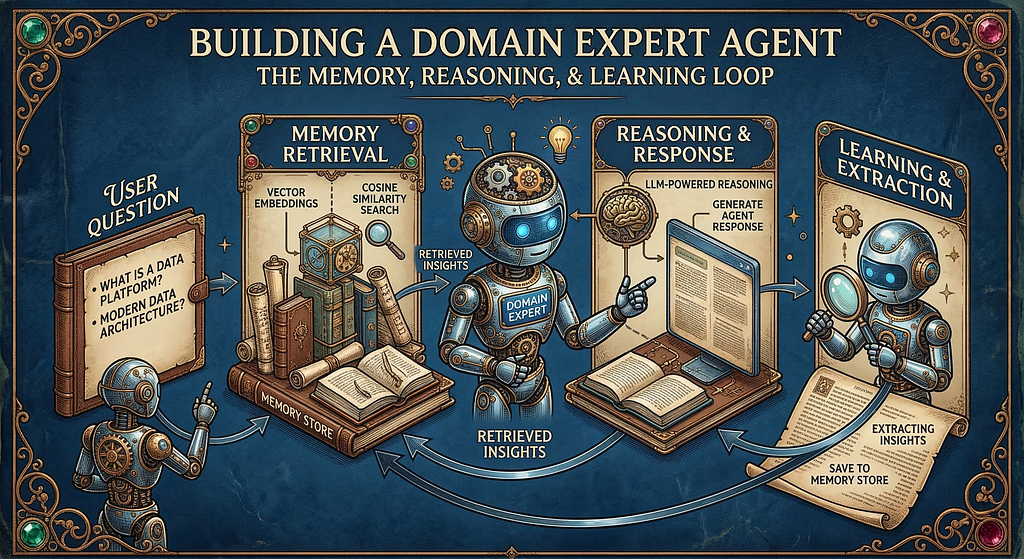
In this blog, we will build a lightweight Domain Expert Agent that illustrates this concept. The system acts as a specialized assistant focused on data and analytics architecture, capable of answering domain-specific questions while gradually storing useful insights derived from its own responses. Over time, these insights form a small knowledge base that the agent can retrieve and incorporate into subsequent answers.
One important aspect of this implementation is that the agentic behavior is achieved using only a small set of components rather than a full orchestration framework. It is intentionally kept simple to highlight the core mechanics without added complexity. The reasoning capability is provided by models accessed through the API from OpenAI. To support memory, we store embeddings of extracted insights and perform semantic similarity search using NumPy. While production implementations would typically rely on dedicated vector databases, this notebook version uses a lightweight in-memory approach to keep the implementation easy to run and understand.
By the end of this guide, you will have a working system that demonstrates the full agentic loop: retrieving prior knowledge, reasoning about a question, extracting new insights, and storing them for future use.
Architecture
The the agent follows a simple loop that combines memory retrieval, reasoning, and learning.
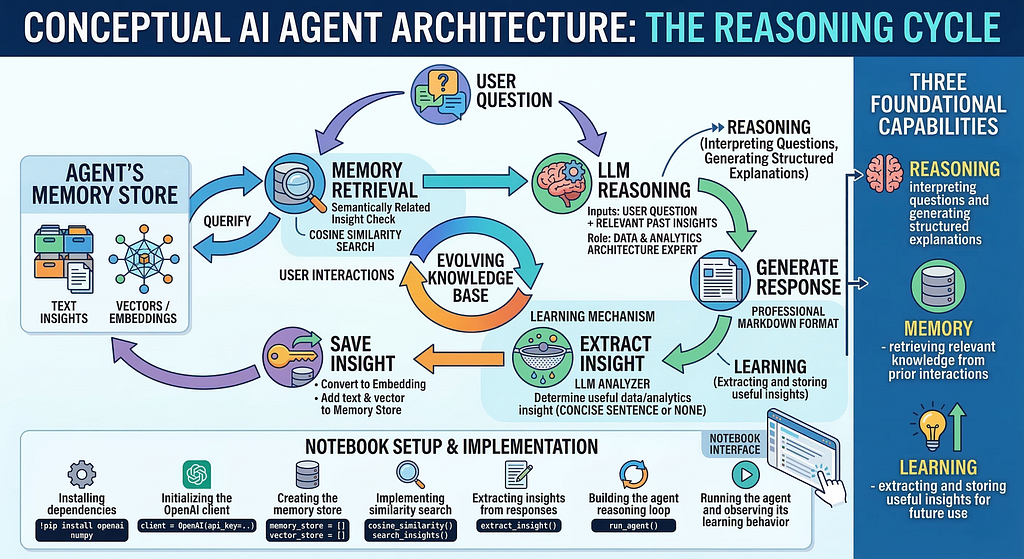
This diagram illustrates the conceptual architecture of the domain expert agent and highlights the core loop that enables agentic behavior. The process begins when a user submits a question, which is first compared against the agent’s memory store to retrieve semantically related insights using vector embeddings and cosine similarity. (Both the user query and the stored insights are converted into embeddings using the OpenAI embedding model . Embeddings represent the semantic meaning of text as numerical vectors in a high-dimensional space. The system compares these vectors using cosine similarity.) These retrieved insights are then provided as context to the language model, allowing it to reason about the question and generate a structured response.
Once the response is produced, the system evaluates it to determine whether it contains a useful architectural insight. If an insight is identified, it is converted into an embedding and stored in the memory store alongside the original text. Over time, this process allows the agent to build an evolving knowledge base that can influence future responses. The diagram also highlights the three foundational capabilities demonstrated in the notebook, memory retrieval, reasoning, and learning, which together create the feedback loop that enables the agent to gradually accumulate and reuse knowledge across interactions.
Let us move ahead with the implementation steps.
Step 1 — Install Required Packages

The openai package provides access to language models and embeddings, while numpy is used to perform vector operations and similarity calculations for retrieving relevant insights from memory.
Step 2 — Imports and OpenAI Client
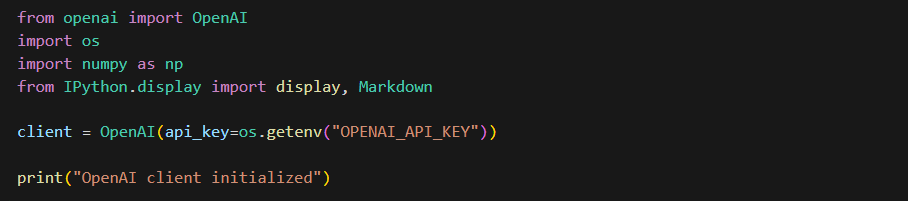
This cell sets up the environment needed to interact with OpenAI models in the notebook. It imports the OpenAI client for making API calls, the os module to access environment variables, numpy for handling vector embeddings and similarity calculations, and display utilities from IPython.display to render formatted Markdown outputs in the notebook. The code then initializes the OpenAI client by retrieving the API key from the OPENAI_API_KEY environment variable.
Step 3 — Create the Memory Store
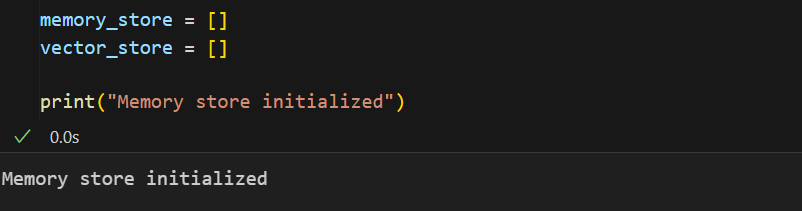
This cell initializes the memory structures that the agent will use to store and retrieve knowledge. The memory_store list is used to hold the textual insights that the agent extracts from its responses, while the vector_store list holds the corresponding vector embeddings for those insights. These embeddings represent the semantic meaning of the text and allow the system to perform similarity search when a new question is asked. By maintaining both the text and its embedding, the agent can later compare a user’s query with stored vectors to find the most relevant insight.
Step 4 — Memory Functions
This cell defines the core memory and retrieval functions that allow the agent to store insights as vector embeddings and later retrieve the most relevant ones using semantic similarity.
Let’s break these down.
cosine_similarity(a, b):

This function calculates the cosine similarity between two vectors. Cosine similarity measures how similar two vectors are based on the angle between them rather than their magnitude. In this context, it is used to determine how semantically similar a stored insight is to a user’s query embedding. A higher similarity score means the stored insight is more relevant to the query.
save_insight(text)
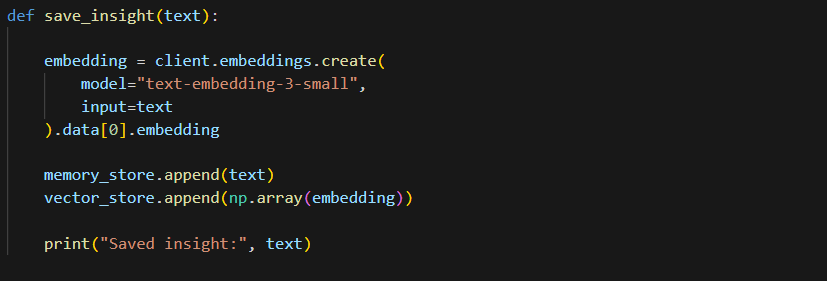
This function stores a new insight in the agent’s memory. It first converts the insight text into a vector embedding using the OpenAI embedding model text-embedding-3-small. The original insight text is then added to memory_store, while the corresponding vector representation is stored in vector_store. Keeping both allows the system to later retrieve the most relevant insight using vector similarity search.
search_insights(query, k=3)

The function begins by checking whether any embeddings exist in the memory store. If the vector_store is empty, it immediately returns an empty list, indicating that no prior knowledge has been stored yet. This prevents the system from attempting similarity calculations when there is no memory available.
If insights do exist, the query is converted into a vector embedding using the OpenAI embedding model. This embedding represents the semantic meaning of the query in numerical form. The embedding is then converted into a NumPy array so that it can be used in vector calculations.
Next, the function computes cosine similarity between the query vector and each stored vector in vector_store. This produces a list of similarity scores that indicate how closely each stored insight relates to the query.
The similarities are then sorted using np.argsort, and the indices of the top k most similar insights are selected. By default, k=3, meaning the function retrieves the three most relevant insights from memory.
Finally, the function returns the corresponding text entries from memory_store based on those indices. These retrieved insights can then be injected into the language model’s context, allowing the agent to incorporate prior knowledge when generating its response.
Step 5 — Insight Extraction
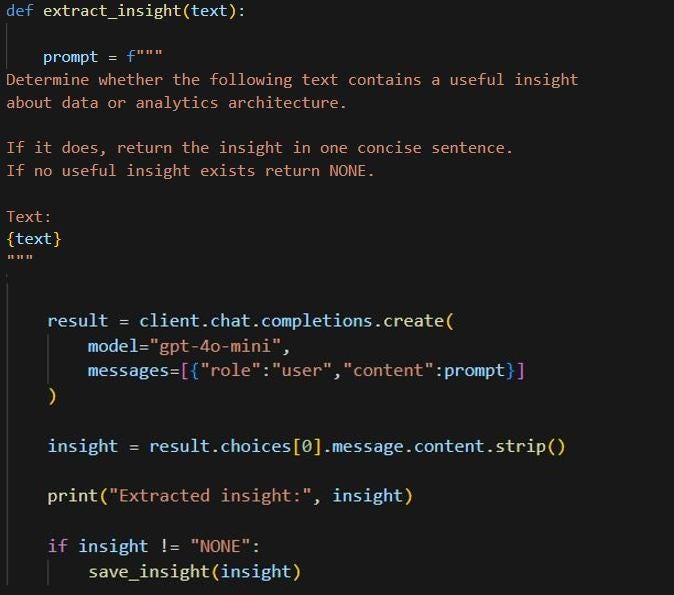
This step defines the insight extraction function, which allows the agent to learn from its own responses. The function takes the model’s generated text and constructs a prompt asking the model to determine whether the text contains a useful insight related to data or analytics architecture. If an insight is present, the model returns it as a concise sentence; otherwise, it returns “NONE”.
The prompt is sent to the gpt-4o-mini model (feel free to use any OpenAI supported model of your choice) using the chat completion API, and the returned content is extracted and cleaned. The insight is printed so it can be observed during execution. If the result is not “NONE”, the function calls save_insight() to store the insight and its embedding in memory, allowing the agent to build a small knowledge base from previous interactions.
Step 6 — Agent Logic
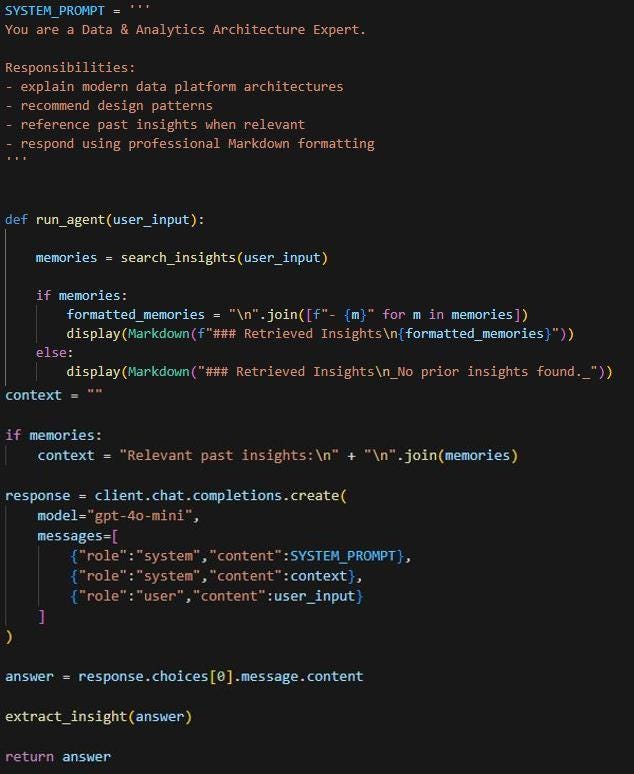
This step defines the core agent logic that coordinates memory retrieval, response generation, and learning. The SYSTEM_PROMPT sets the role of the model as a Data & Analytics Architecture Expert, guiding it to explain data platform architectures, recommend design patterns, reference past insights, and respond in clear Markdown format.
The run_agent function begins by searching memory for relevant insights related to the user’s question. Any retrieved insights are displayed and added as context for the model. The function then calls the OpenAI chat completion API with the system prompt, the memory context, and the user’s input. After generating a response, the text is passed to extract_insight() so the agent can identify and store any useful new knowledge. This creates the agent’s core loop of retrieving past knowledge, generating responses, and learning from interactions.
Step 7 — Run the Agent and Observe Learning
We will start asking questions and invoke the run_agent function.

Let us ask the first question: What are the key components of a modern data platform?
Notice that the first time you run this, the notebook will display the following:

At this stage, there was no prior insight to retrieve (“No prior insights found”) and the agent has stored its first insight in memory (Saved insight).
Following the Retrieved Insights section, the actual Agent response is displayed as well (a portion of which is shown in the screenshot below):
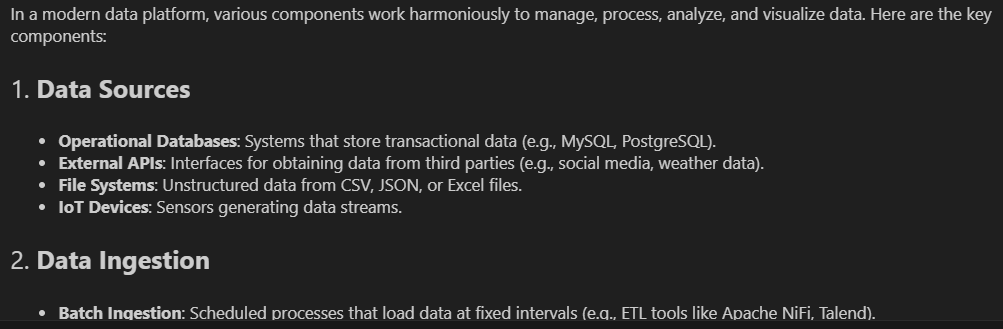
(For the remaining questions, we will not display the full response in the blog, as the focus here is on insight retrieval and illustrating how the agent accumulates knowledge over time. The actual responses to the question will still be generated and can be viewed directly in the notebook when the steps are executed).
Next, let us ask a related question that should trigger retrieval of the previously stored knowledge.
What architecture patterns are common in modern data platforms?
The notebook now uses and displays the retrieved insight:
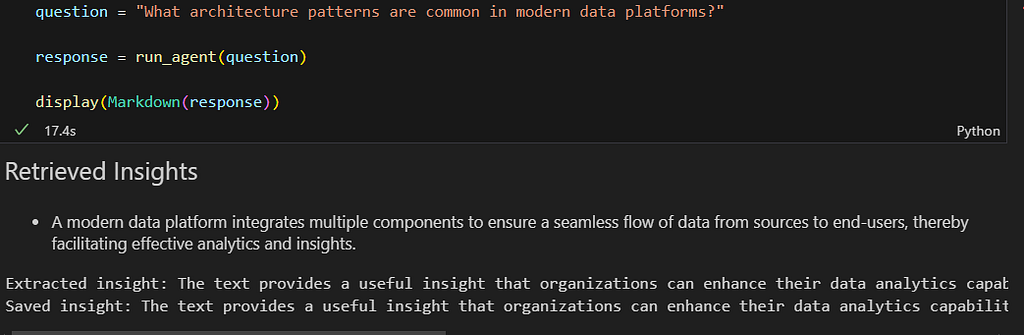
This demonstrates that the agent retrieved previously stored knowledge before generating its response. (Note the Retrived Insights section in the output). The retrieved insight is injected into the prompt as context, which allows the model to incorporate that knowledge into its explanation of architecture patterns such as ELT pipelines, streaming ingestion, and data mesh. The model will then generate its response while incorporating this previously stored insight.
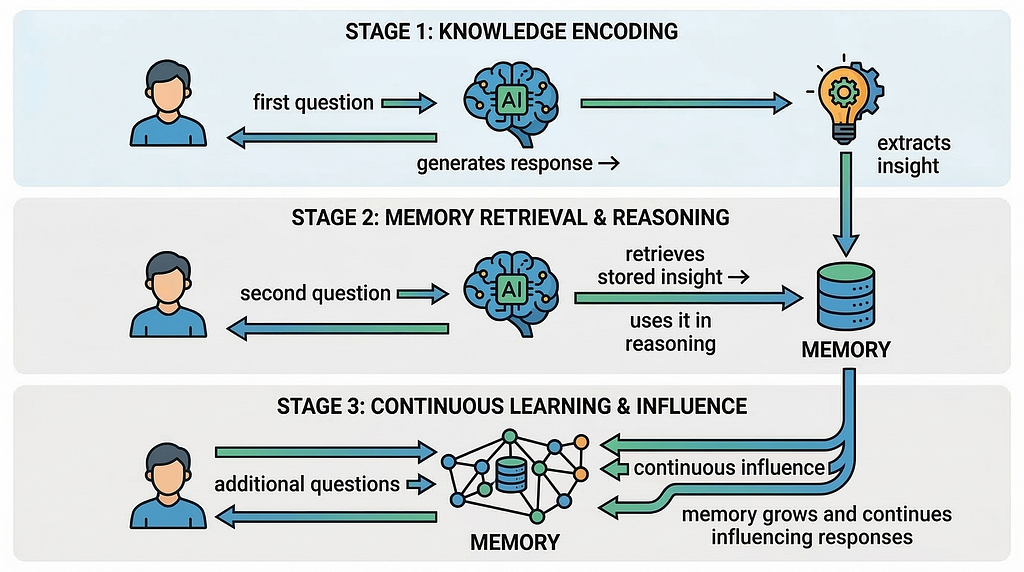
As the agent answers each question, it extracts additional insights and stores them. As more questions are asked, the notebook will display multiple retrieved insights, showing that the agent is accumulating knowledge and reusing it during reasoning.
Let us ask another related question: “What scalability practices are important for modern data architectures?”
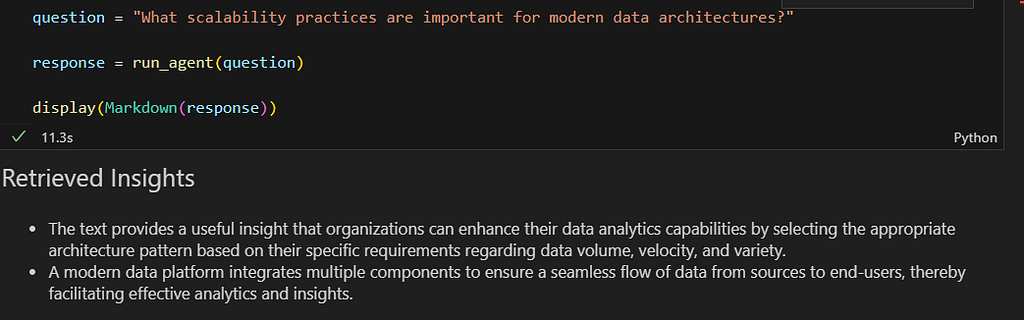
As observed, the retrieved insights list now contains multiple stored insights, showing that the agent is gradually building a small knowledge base from prior interactions.
This sequence clearly illustrates the agent’s learning loop:
Note: It is important to note that in this notebook the memory store is in-memory only. The stored insights exist only while the notebook kernel is running. If the kernel is restarted or the notebook is reopened, the memory will be cleared. This simplified design keeps the example easy to run and understand. In production systems, this memory layer would typically be implemented using a persistent vector database such as Chroma, Pinecone, Weaviate, pgvector etc.
We have now built a simple domain expert agent that demonstrates how reasoning, memory, and learning can be combined in a lightweight architecture. The agent answers questions about data and analytics architecture, extracts useful insights from its responses, and stores those insights so they can be retrieved and used during future interactions .
While this example focuses on data and analytics architecture, the same pattern can be applied to virtually any domain by adjusting the system prompt and the type of insights the agent extracts and stores. Whether the focus is finance, healthcare, customer support, or software engineering, the combination of reasoning, memory retrieval, and incremental learning can enable domain-specific agents that gradually build and reuse knowledge over time.
What this small experiment shows is that agentic behavior does not always require complex orchestration frameworks. By combining reasoning and embeddings from OpenAI with simple vector similarity search implemented in NumPy, we were able to create a system that retrieves knowledge, learns from interactions, and gradually builds its own context.

In many ways, this small notebook captures the essence of how larger agentic systems begin. Sometimes the foundations of agentic systems begin not with elaborate architectures, but with a few well-chosen building blocks.
The notebook associated with this blog can be accessed here.
I share hands-on, implementation-focused perspectives on Generative & Agentic AI, LLMs, Snowflake and Cortex AI, translating advanced capabilities into practical, real-world analytics use cases. Do follow me on LinkedIn and Medium for more such insights.
Agentic AI in Action — Part 17 — Building a Domain Expert Agent with Memory, Reasoning, and… was originally published in Towards AI on Medium, where people are continuing the conversation by highlighting and responding to this story.