From API key to “Hello, Claude” in five lines of Python. Everything you need to start building with the Claude API.
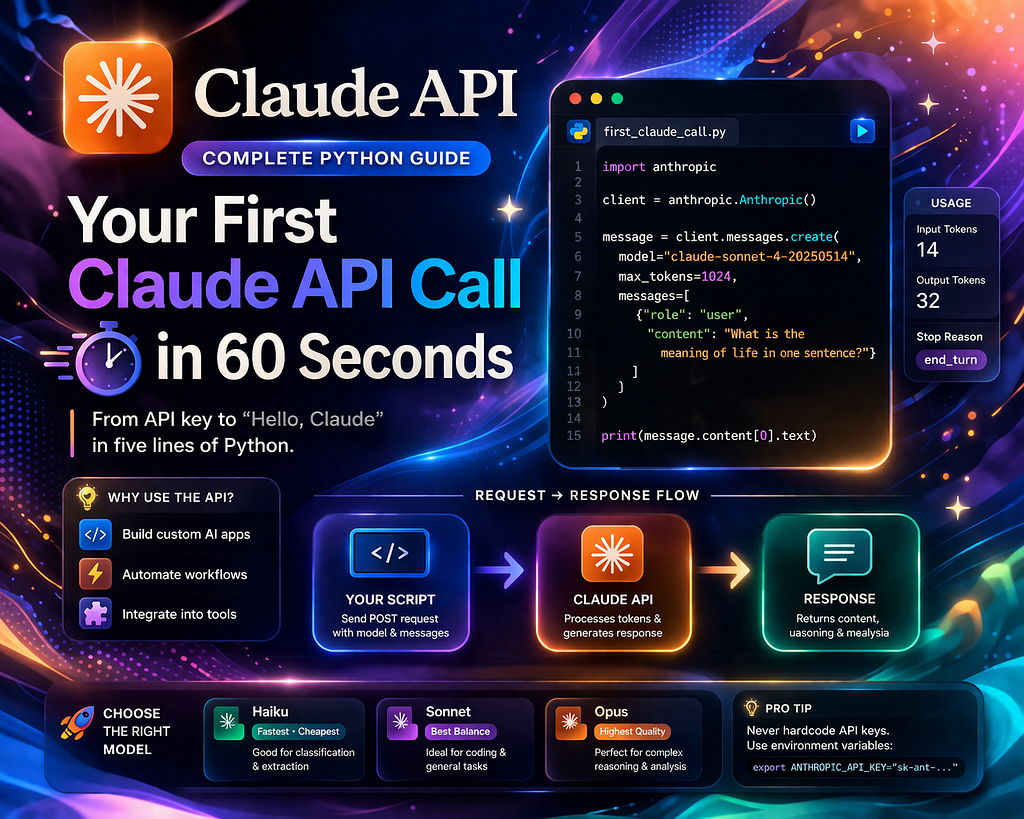
Until now, you’ve been using Claude through its website — like dining at a restaurant. But what if you wanted to build your own restaurant? You’d need direct access to the kitchen. That’s what the API gives you.
What Is an API?
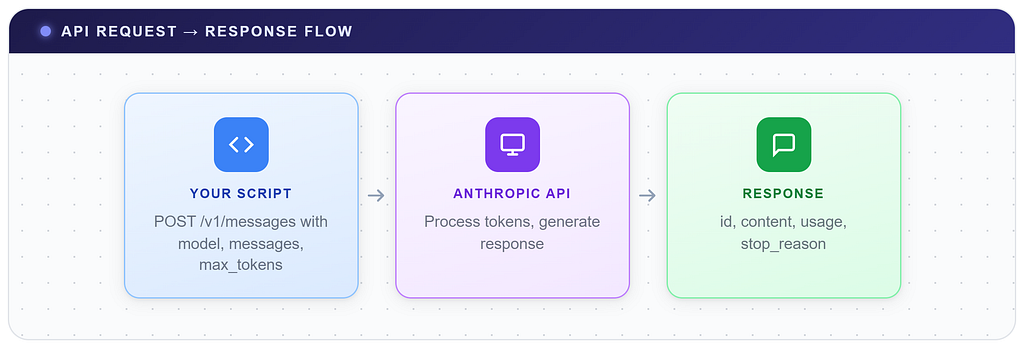
An API is like the kitchen window at a restaurant. You write your order on a ticket (the request), slide it through the window, the chef processes it, and slides back a plate (the response).
Step 1: Get Your API Key (30 seconds)#
- Go to console.anthropic.com
- Create an account (you get a few $ in free credits)
- Navigate to API Keys → Create Key
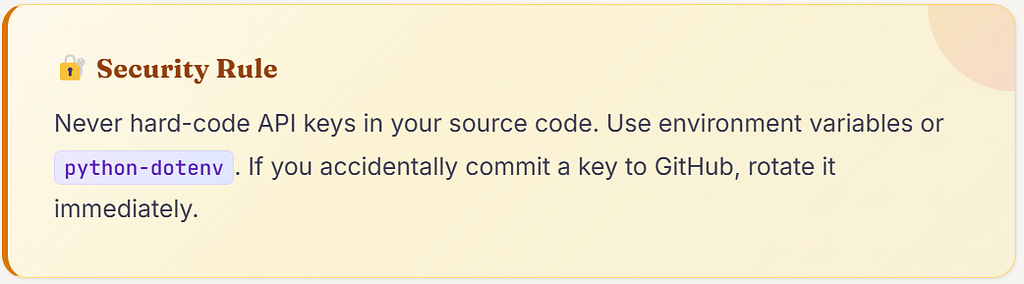
- Copy the key (starts with sk-ant-...)

Step 2: Install the SDK (10 seconds)

Step 3: Your First Call (20 seconds)
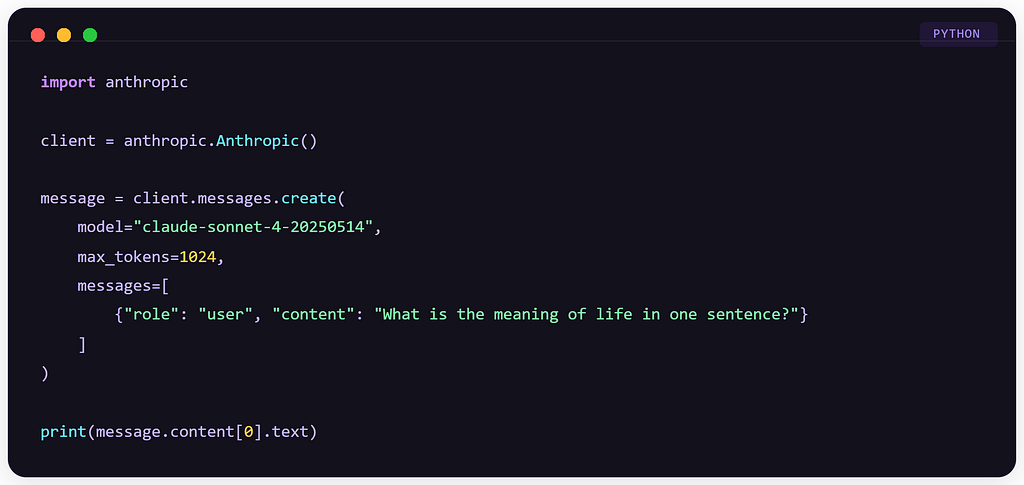
Five lines of meaningful code. That’s it.
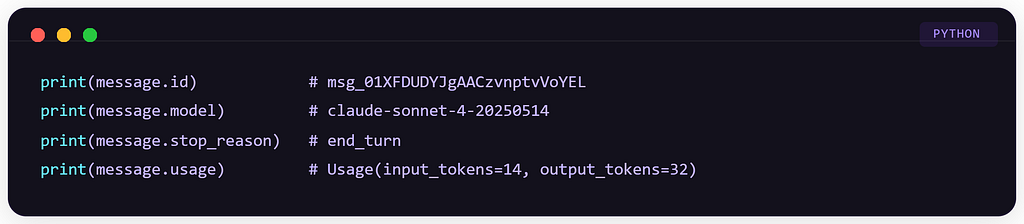
Understanding the Response
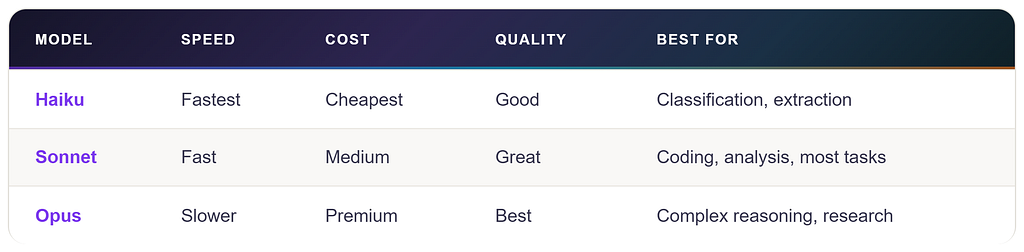
Choosing the Right Model
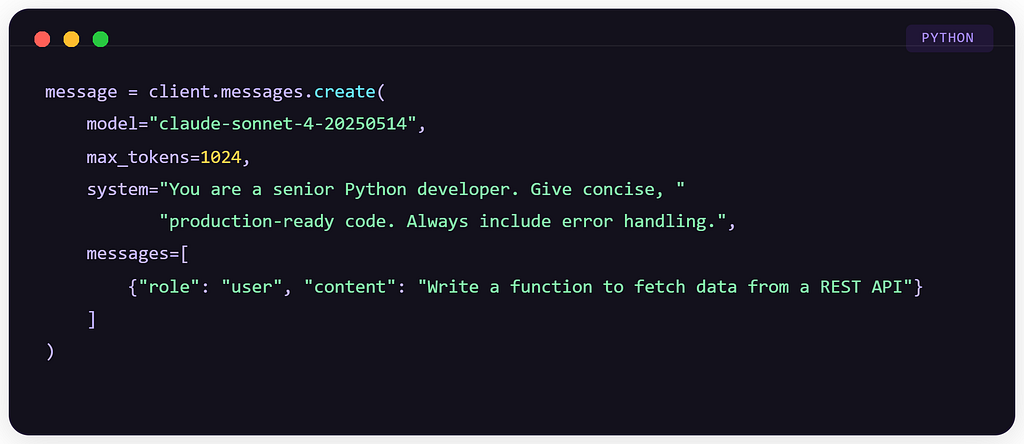
Adding a System Prompt
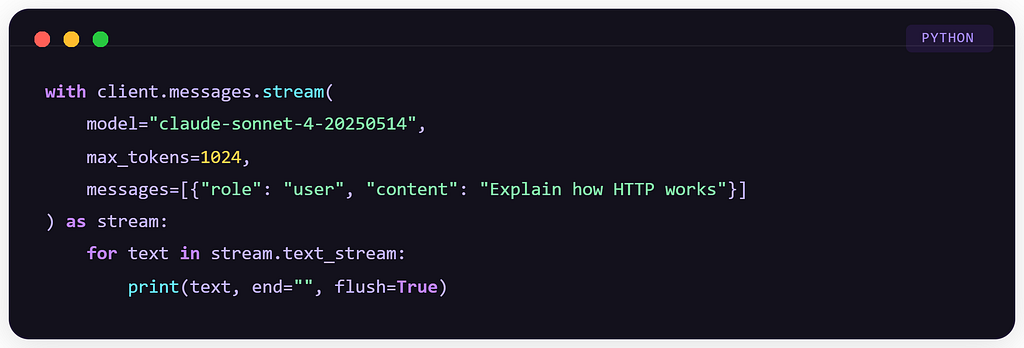
Streaming: Watch Claude Think in Real-Time
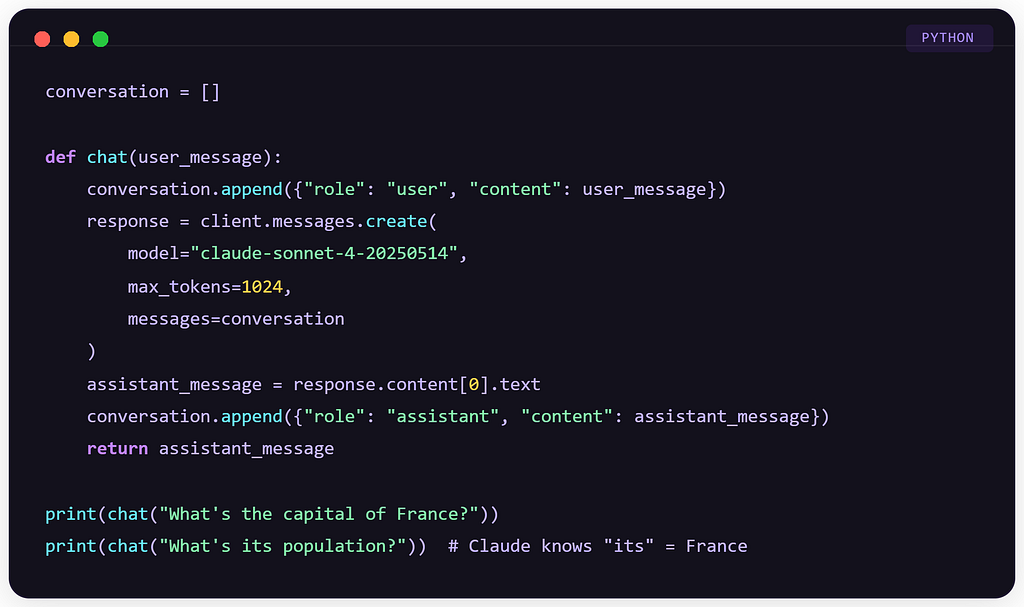
Multi-Turn Conversations
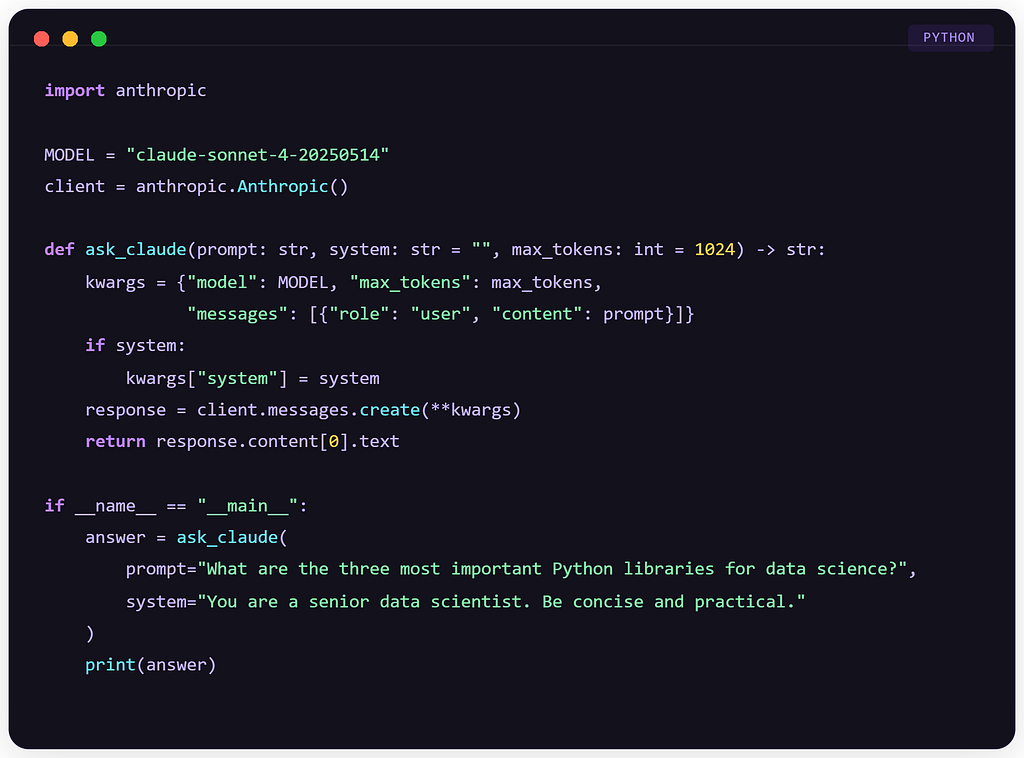
The Complete Starter Template
Check out my previous article: “The Golden Workflow: Explore, Plan, Code, Commit”
Your First Claude API Call in 60 Seconds (Complete Python Guide) was originally published in Towards AI on Medium, where people are continuing the conversation by highlighting and responding to this story.