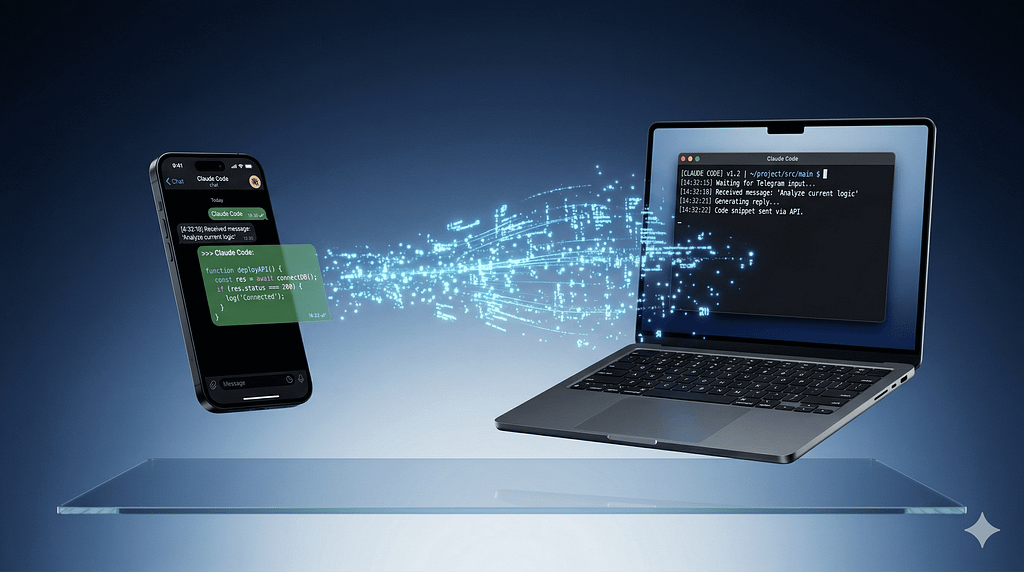
Anthropic just shipped the feature that made OpenClaw go viral — built natively into Claude Code, with none of the security baggage.
You’ve been there. You kick off a 40-minute refactor in Claude Code, leave your desk to grab lunch, and come back wondering if it finished, got stuck on a permission prompt, or quietly went off the rails. Your only option was to stay glued to the terminal or come back and find out.
That changed on March 20, 2026.
Anthropic launched Claude Code Channels — a native plugin system that lets you message your running Claude Code session directly from Telegram or Discord, from any device, while your code stays on your machine. Send a task from your phone. Claude works on it locally. Replies in your chat when it’s done.
It’s the feature that made OpenClaw go viral — the ability to text your AI agent like a colleague — now built natively into Claude Code, with Anthropic’s security model, no self-hosted server required, and no community skills registry shipping malware.
Quick Answer: Claude Code Channels (launched March 20, 2026, research preview) is a plugin-based feature that connects a running Claude Code session to Telegram or Discord via MCP servers. You send messages from your phone or desktop app, Claude processes them using your full local environment (filesystem, git, MCP tools), and replies back through the same channel. It requires Claude Code v2.1.80+, the Bun runtime, and a claude.ai Pro or Max subscription.
Last updated: March 2026 | Requires Claude Code v2.1.80+ | Research preview
Table of Contents
- What Is Claude Code Channels?
- How It Works Under the Hood
- Channels vs Remote Control vs Web Sessions
- Setting Up Telegram (5-Minute Guide)
- Setting Up Discord (10-Minute Guide)
- The Real Use Cases Worth Your Attention
- Current Limitations You Need to Know
- Why This Matters Beyond the Hype
- FAQ
- Key Takeaways
What Is Claude Code Channels?
Claude Code Channels is a plugin architecture that turns your running Claude Code session into something you can message from anywhere.
The core idea is simple: your Claude Code session stays running on your local machine — with full access to your filesystem, git history, MCP tools, and project configuration. A channel plugin (currently Telegram or Discord) acts as a bridge. When you send a message to your bot, it gets forwarded into the Claude Code session as an event. Claude processes it locally, then replies through the same platform.
Your code never leaves your machine. The messaging app is just a remote control.
This is Anthropic’s direct answer to the gap that made OpenClaw go viral in early 2026. OpenClaw became popular precisely because it let developers message an AI agent through Telegram, WhatsApp, Discord, and iMessage. Claude Code had none of this native capability. The gap was a real workflow constraint: developers running long agentic tasks either stayed glued to their computer or lost context when they stepped away.
AI YouTuber Matthew Berman summarized the community reaction: “They’ve BUILT OpenClaw.” The consensus among early adopters is that Anthropic has successfully internalized the most desirable features of the open-source movement — multi-channel support and long-term memory — while maintaining the reliability of a tier-one AI provider.
The difference is significant. OpenClaw requires self-hosting, a community skills registry that had serious vetting problems, and a security model you configure yourself. Channels is Anthropic’s managed answer: same core capability, shipped as a first-party feature with audited plugins and explicit access controls baked in.
Key Insight: Channels doesn’t make Claude Code run in the cloud. Your session and your code stay local. The messaging platform is purely an interface layer — a window into your running terminal session.
How It Works Under the Hood
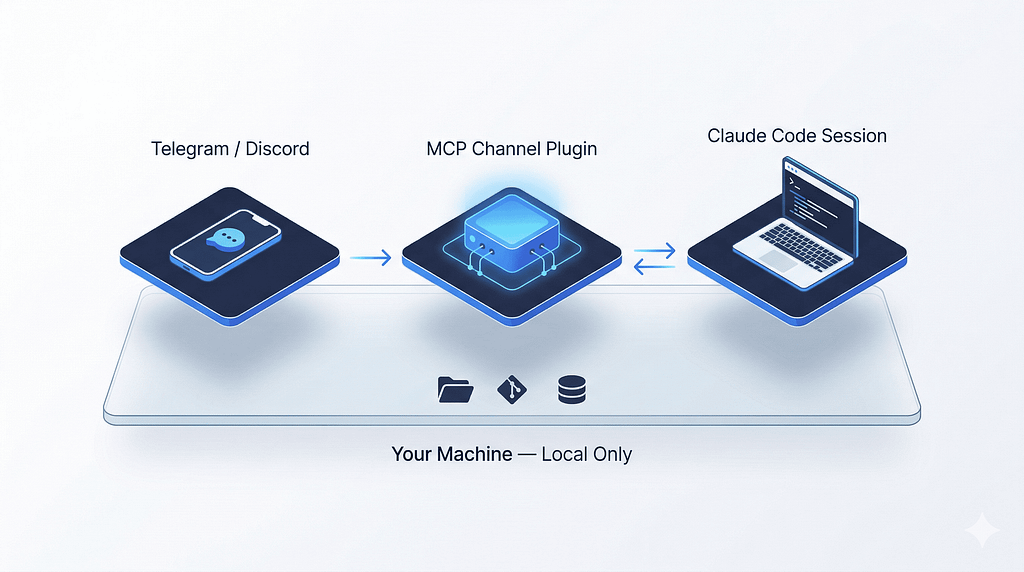
A channel is an MCP server that runs on the same machine as Claude Code. Claude Code spawns it as a subprocess and communicates over stdio. Your channel server is the bridge between external systems and the Claude Code session.
Here’s the full event flow:
Your phone (Telegram / Discord)
        │
        │  sends message
        ▼
Channel Plugin (MCP server, runs locally)
        │
        │  polls platform API / WebSocket
        │  wraps message as <channel> event
        │  pushes via stdio
        ▼
Claude Code Session (your machine)
        │
        │  processes with full local access
        │  (filesystem, git, MCP tools, config)
        ▼
Claude's Response
        │
        │  reply tool → channel plugin
        │  channel plugin → platform API
        ▼
Your phone gets the reply
At the heart of this update is the Model Context Protocol (MCP) open source standard that Anthropic introduced back in 2024. Think of MCP as a universal USB-C port for AI: it provides a standardized way for an AI model to connect to external data and tools. In the new Channels architecture, an MCP server acts as a two-way bridge.
Two modes of channel: One-way channels forward alerts, CI results, or monitoring events for Claude to react to. Two-way channels (like the Telegram and Discord plugins) also expose a reply tool so Claude can send messages back. A channel with a trusted sender path can additionally relay permission prompts — so you can approve or deny tool use remotely instead of running back to the terminal.
Security architecture: Every channel plugin maintains a sender allowlist. Only user IDs you’ve explicitly paired can push messages into your session. The --channels flag controls which servers are active per session. Being configured in .mcp.json is not enough to push messages; a server must also be named in --channels. On Team and Enterprise plans, organization admins must explicitly enable channels — it's off by default.
Channels vs Remote Control vs Web Sessions
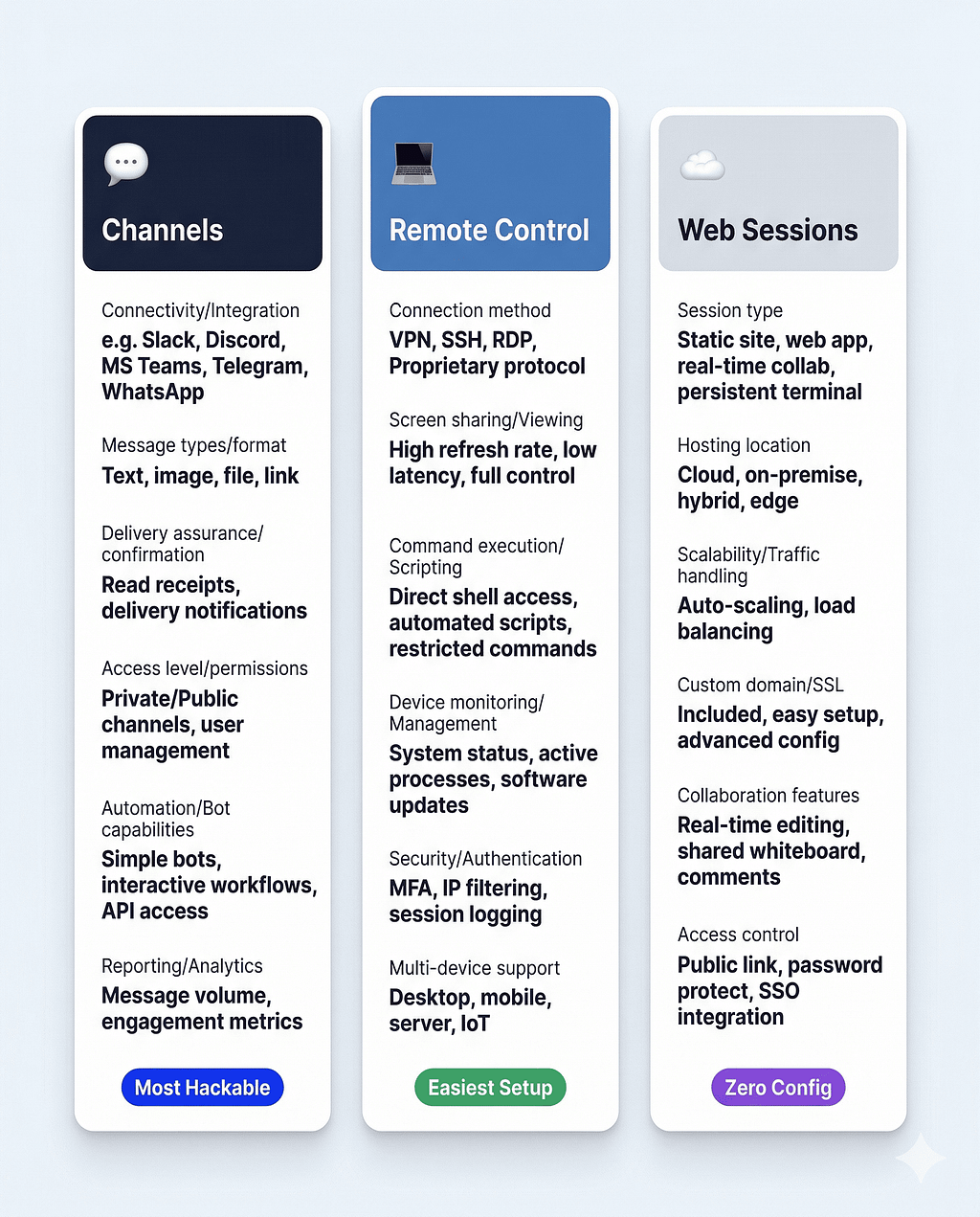
Channels is the third way to interact with Claude Code remotely. Here’s how all three compare:
🔵 Channels (Telegram / Discord)
Interface: Telegram, Discord
Session: Your machine (local)
Setup: ~5–10 min (bot creation)
Best for: Async workflows, mobile-first, team collaboration
Tools access: Full — filesystem, MCP, git
Notifications: Native push notifications
🔵 Remote Control (claude.ai / Mobile App)
Interface: claude.ai, iOS/Android app
Session: Your machine (local)
Setup: 1 command
Best for: Continuing terminal sessions from phone
Tools access: Full — filesystem, MCP, git
Notifications: Must open claude.ai or app
🔵 Web Sessions (claude.ai/code)
Interface: claude.ai browser
Session: Anthropic cloud
Setup: Zero
Best for: Quick tasks without local setup
Tools access: Cloud sandbox only
Notifications: Must open claude.ai
As Thariq from the Claude Code team noted in the announcement thread: “We want to give you a lot of different options in how you talk to Claude remotely. Channels is more focused on devs who want something hackable.”
The practical decision: use Remote Control if you want the full claude.ai chat interface and minimal setup. Use Channels if you want native push notifications, async fire-and-forget workflows, or team access through a Discord server.
Key Insight: Both Remote Control and Channels keep your session running locally. Neither routes your code through Anthropic’s servers. The difference is purely in the interface and the notification model.
Setting Up Telegram (5-Minute Guide)
Telegram is the faster setup — no server invite required, just a bot and a token.
Prerequisites: Claude Code v2.1.80+, Bun runtime (bun.sh), claude.ai Pro or Max subscription.
Step 1: Create Your Bot via BotFather
Open @BotFather on Telegram and send /newbot. You'll be asked for:
- A display name (anything, spaces are fine)
- A username ending in bot (e.g. mydevassistant_bot)
BotFather replies with a token like 123456789:AAHfiqks... — copy the whole string.
Step 2: Install the Plugin
Inside a Claude Code session:
bash
/plugin install telegram@claude-plugins-official
Step 3: Configure Your Token
bash
/telegram:configure 123456789:AAHfiqks...
This writes your token to .claude/channels/telegram/.env in your project.
Step 4: Launch with Channels Active
bash
claude --channels plugin:telegram@claude-plugins-official
Step 5: Pair and Lock Down
DM your bot on Telegram — it replies with a 6-character pairing code. Back in Claude Code:
bash
/telegram:access pair <code>
/telegram:access policy allowlist
That’s it. Your next Telegram message reaches Claude directly.
Telegram-specific capabilities worth knowing:
- Typing indicator — Telegram shows “bot is typing…” while Claude works. Surprisingly useful for knowing if Claude is processing or stuck on a permission prompt
- Photo/file support — inbound photos auto-download to ~/.claude/channels/telegram/inbox/. File attachments up to 50MB can be sent back
- No message history — the Telegram Bot API only sees messages in real time. If your session was down when you sent a message, it’s gone. Keep your session running with tmux or screen to avoid this
Setting Up Discord (10-Minute Guide)
Discord takes a few more steps but unlocks team-based workflows that Telegram can’t match.
Step 1: Create an Application in Discord Developer Portal
Go to discord.com/developers/applications, click New Application, name it anything.
Step 2: Create a Bot and Get the Token
Navigate to Bot in the sidebar. Under Token, click Reset Token and copy it (shown only once).
Step 3: Enable Message Content Intent
Still in Bot settings, scroll to Privileged Gateway Intents and enable Message Content Intent. Without this, messages arrive with empty content.
Step 4: Invite to Your Server
Go to OAuth2 → URL Generator, select the bot scope, and enable these permissions: View Channels, Send Messages, Send Messages in Threads, Read Message History, Attach Files, Add Reactions. Copy and open the generated URL to add the bot.
Step 5: Install, Configure, and Pair
bash
/plugin install discord@claude-plugins-official
/discord:configure <your-bot-token>
Exit and relaunch:
bash
claude --channels plugin:discord@claude-plugins-official
DM your bot, get the pairing code, then:
bash
/discord:access pair <code>
/discord:access policy allowlist
Discord-specific capabilities that matter:
- Message history — unlike Telegram, Discord’s fetch_messages tool can pull up to 100 recent messages per call. If your session restarts, Claude can catch up on what it missed
- Guild channels — you can interact with Claude through a shared server channel, not just DMs. Multiple team members can all talk to the same Claude Code session
- Threading — the reply tool supports native Discord threading, keeping multi-person conversations organized
- Custom emoji reactions — Claude can react with custom server emoji, which is more useful than it sounds for status signaling in team channels
The Real Use Cases Worth Your Attention
Most coverage of Channels focuses on the “message Claude from your phone” headline. The more interesting use cases are the ones that change how development actually works.
Long-Running Tasks Without Babysitting
Start a complex migration, a large refactor, or a multi-step test suite. Walk away. When Claude finishes — or hits a wall — you get a notification. Reply with instructions without opening a laptop. This alone changes the economics of agentic coding: you stop paying the “stay at the terminal” tax.
Quick Fixes During Code Reviews
You’re reviewing a PR on your phone. You spot a bug in a config file. Instead of adding a comment for later, you message Claude: “Fix the Redis port in docker-compose.yml from 6380 to 6379 and commit.” Claude makes the change and confirms. The PR is already updated before you finish the review.
Team Debugging via Discord Guild Channels
Set up a Discord server channel where your whole team can talk to a shared Claude Code session. One person describes the bug. Another shares a screenshot. Claude investigates with full codebase access and replies in the thread. Everyone sees the diagnosis. This is a genuinely new workflow — async pair debugging without a Zoom call.
CI/CD Notifications That Can Act
One-way channels forward alerts, webhooks, or monitoring events for Claude to act on. Wire your CI pipeline to push failure events into Claude’s session. When a build breaks, Claude doesn’t just notify you — it inspects the logs, identifies the issue, and either fixes it automatically or sends you a diagnosis with the specific lines that failed. The notification becomes an action.
The Non-Developer Use Case
This one doesn’t get enough attention. If you’ve configured Claude as a productivity assistant with MCP connections to your calendar, email, CRM, or project management tools, Channels turns it into something closer to a real EA. Message “what’s my priority list for today?” from Telegram while you’re grabbing coffee. Ask it to draft a follow-up email to a client between meetings. The interaction model stops being “sit at terminal” and becomes “text your assistant whenever.”
Key Insight: The most powerful use case isn’t “send a coding task from your phone.” It’s the combination of Channels + scheduled tasks: Claude runs autonomously on a schedule, reports through Telegram, and waits for your instructions when something needs a human decision.
Current Limitations You Need to Know
Channels is a research preview. These are the real constraints, not the hedged marketing version.
Your session must stay running. There’s no persistent background daemon. Close the terminal or stop the claude process, and the channel goes offline. Messages sent while the session is down are lost on Telegram (no history API) or queued for retrieval on Discord (via fetch_messages). The workaround is tmux or screen to keep sessions alive, or running Claude Code on a dedicated machine or VPS.
Permission prompts block remotely. If Claude needs permission approval mid-task, the session pauses until you approve at the terminal. You can use --dangerously-skip-permissions for fully unattended operation, but only in environments you fully trust and understand. This flag bypasses all permission guardrails.
Allowlisted plugins only during preview. During the research preview, custom channels aren’t on the approved allowlist. Use --dangerously-load-development-channels to test locally. Only plugins from claude-plugins-official work with the standard --channels flag.
Requires claude.ai login, not API keys. You need a claude.ai Pro or Max subscription. Console and API key authentication is not supported in the research preview. Teams and Enterprise orgs must have admins explicitly enable channels — it’s off by default.
Replies flow through platform servers. Your code stays on your machine, but Claude’s text replies go through Telegram’s or Discord’s servers. For sensitive work involving proprietary code, credentials, or confidential data, be deliberate about what you ask Claude to output through a channel. The fakechat plugin (localhost only, no external dependency) is the right option for sensitive testing.
Why This Matters Beyond the Hype
I want to be direct about what Channels actually represents, separate from the “OpenClaw killer” framing.
While Anthropic’s Claude has long been a favorite for its reasoning, it remained a “brain in a jar” — a stateless entity that waited for a user to type before it could think. By giving Claude Code the ability for users to message it from popular third-party apps and have it message them back when it finishes a task, Anthropic has countered OpenClaw’s appeal while offering something it does not: the Anthropic brand name with its commitment to AI security and safety, and ease of use right out of the box.
That framing is accurate, but the deeper shift is about the development interaction model. For years, the promise of “AI-assisted development” meant sitting at a computer, typing prompts, reviewing outputs. That model has a ceiling — you can only work as fast as you can be present.
Channels, combined with Remote Control and scheduled tasks, starts to break that ceiling. You don’t have to be at the terminal for Claude to be working. You don’t have to check a browser tab to know if a task finished. The session is persistent. The notifications are native. The interaction is asynchronous.
This is how human engineers with actual assistants work — not by typing at the assistant in real time, but by delegating tasks, getting notified on completion, and redirecting as needed. Channels moves the AI coding agent model meaningfully closer to that.
Whether the research preview evolves into a robust production feature depends on how Anthropic handles the remaining rough edges — particularly the session persistence problem and the permission prompt blocking issue. But the direction is clear, and the foundation is solid.
FAQ
What is Claude Code Channels?
Claude Code Channels is a plugin-based feature in Claude Code (launched March 20, 2026, research preview) that lets you send messages to a running Claude Code session from Telegram or Discord. Your session processes requests using your full local environment — filesystem, git, MCP tools — and replies back through the same messaging app. It requires Claude Code v2.1.80+, the Bun runtime, and a claude.ai Pro or Max subscription.
How is Claude Code Channels different from Remote Control?
Both features let you interact with a local Claude Code session from another device, but they use different interfaces. Remote Control routes interaction through the claude.ai web interface and mobile app — richer UI, one-command setup, but fixed interface and no push notifications. Channels uses Telegram or Discord as the interface — native push notifications, more hackable, and supports team collaboration through Discord guild channels. Remote Control is faster to set up; Channels is more flexible once configured.
Does Claude Code Channels send my code to external servers?
No. Your code, files, and tools stay on your local machine throughout. The channel plugin (Telegram or Discord) receives your messages and forwards them into the local Claude Code session via stdio. Claude’s text replies flow back through the platform’s servers, but your codebase never leaves your machine. For sensitive work, the fakechat localhost plugin keeps everything local including replies.
What are the requirements for Claude Code Channels?
You need Claude Code v2.1.80 or later, the Bun runtime installed, and a claude.ai Pro or Max subscription. Console and API key authentication are not supported in the research preview. For Team and Enterprise organizations, an admin must explicitly enable channels in managed settings — it’s disabled by default.
Can multiple team members interact with the same Claude Code session?
Yes, through Discord guild channels. Set up a shared Discord server channel, configure the bot with multiple paired users, and your whole team can send instructions to the same Claude Code session and see each other’s interactions. This doesn’t work with Telegram, which is primarily DM-based.
What happens if I close the terminal while Channels is running?
The Claude Code session stops, and the channel goes offline. Messages sent to Telegram while the session is down are lost — the Telegram Bot API has no message history. Messages sent to Discord can be retrieved via fetch_messages when the session comes back online. The standard workaround is running your Claude Code session inside tmux or screen to keep it alive, or running it on a dedicated machine or VPS.
Is Claude Code Channels available on the free tier?
No. A claude.ai Pro ($20/month) or Max ($100–$200/month) subscription is required. The Telegram and Discord plugins themselves are free and open source. API key authentication is explicitly not supported — you must log in via claude.ai.
Can I build my own channel for platforms like Slack or WhatsApp?
Yes, using the Channels reference documentation. Any MCP server that implements the channel protocol can push events into Claude Code. During the research preview, the --channels flag only accepts plugins from Anthropic's approved allowlist, so you need the --dangerously-load-development-channels flag to test custom integrations locally. Slack, WhatsApp, and iMessage have all been requested by the community and are likely future additions.
Key Takeaways
- Channels launched March 20, 2026 as a research preview — not a finished product, but a working foundation. Telegram and Discord are the two supported platforms, with more coming via a plugin architecture.
- Your code never leaves your machine. The messaging app is purely an interface layer. Claude works locally with full filesystem, git, and MCP access — the channel just routes commands in and replies out.
- Three ways to interact remotely now exist: Channels (Telegram/Discord, hackable, push notifications), Remote Control (claude.ai interface, minimal setup), and Web Sessions (cloud, zero setup). They solve different problems.
- The session-must-stay-running limitation is the real constraint. Until Anthropic ships a persistent background daemon, you need tmux, screen, or a dedicated machine to keep Channels reliably online.
- The non-developer use case is underrated. If your Claude Code session has MCP connections to calendar, email, or project tools, Channels turns it into something close to a real async assistant — not just a code agent.
- This is Anthropic’s answer to OpenClaw’s viral feature — built natively, with a managed security model, no community skills registry to audit, and no hardware tax. The direction of travel for AI coding agents is now clear.
Found this useful? Hit the clap button and follow for weekly breakdowns on Claude Code features, AI agent workflows, and the tools that are actually changing how developers work. If you’ve already set up Channels — tell me your most useful use case in the comments.
About the Author
I cover the AI industry — model releases, agent frameworks, and what’s actually shipping in developer tools. This post is part of an ongoing series on Claude Code and the AI agent ecosystem in 2026. See also: [OpenClaw AI Agent Explained], [PodcastBrain: Building a Multi-Agent AI App with Agno and Gemini].
Claude Code Channels: Message Your AI Coding Agent From Telegram and Discord (2026) was originally published in Towards AI on Medium, where people are continuing the conversation by highlighting and responding to this story.