Claude Can Now Control Your Computer: How Dispatch Works, What It Can Do, and Its Honest Limitations

Anthropic just shipped the feature that made OpenClaw go viral — built natively, with safeguards, and zero setup. Here’s the real story.
You’re on the train. Your Mac is at home. You just remembered you need to export a pitch deck as a PDF, attach it to tomorrow’s meeting invite, and send a follow-up email to three clients before your 9am.
Before March 23, 2026: you’d either scramble to SSH into your machine, ask someone to do it, or just hope you’d get home in time.
After March 23, 2026: you open your phone, message Claude, and it does all of it on your Mac while you’re still on the train.
That’s not a hypothetical. That’s the exact demo Anthropic used to launch Claude computer use — a new research preview that lets Claude point, click, scroll, and navigate your screen to complete tasks on your behalf. Paired with Dispatch, a cross-device task handoff feature released the week before, this is the most significant step Anthropic has taken toward building a desktop AI agent that actually does things.
Tech press called it Anthropic’s answer to OpenClaw. Let’s see if that framing holds up.
Quick Answer: Claude computer use (launched March 23, 2026, research preview) lets Claude control your Mac — opening apps, using the browser, running dev tools — when it doesn’t have a direct connector for a task. Dispatch is the companion feature that lets you assign tasks from your phone and return to finished work on your desktop. Available now for Claude Pro ($20/month) and Max ($100/month) subscribers on macOS only. No setup required beyond enabling it in Claude Desktop settings.
Last updated: March 2026 | Research preview | macOS only | Requires Claude Desktop + mobile app
Table of Contents
- What Is Claude’s New Computer Use Feature?
- What Is Dispatch and How Does the Phone-to-Desktop Handoff Work?
- How to Set It Up: Step-by-Step
- What Claude Can Actually Do on Your Computer
- Current Limitations You Need to Know
- Claude Computer Use vs OpenClaw: Honest Comparison
- Is It Safe to Let Claude Control Your Computer?
- FAQ
- Key Takeaways
What Is Claude’s New Computer Use Feature?
Computer use is exactly what it sounds like: Claude can now operate your Mac the way a human does — moving the mouse, clicking buttons, typing into fields, opening apps, navigating websites, and reading what’s on screen.
This is different from what Claude could do before. Previously, Claude could only interact with systems through direct connectors (integrations with Slack, Google Calendar, etc.) or through code. If an app didn’t have a connector, Claude couldn’t touch it. Computer use closes that gap permanently.
Here’s how Anthropic described it on the official launch blog: when Claude is given a task, it will reach for the most precise tool first — starting with connectors to services like Slack or Google Calendar. When there isn’t a connector, Claude can directly control your browser, mouse, keyboard, and screen to complete tasks.
Think of it as a fallback hierarchy:
1. Direct connector (fastest, most reliable) → if Slack is connected, Claude uses the Slack API directly
2. Browser control (slower, more flexible) → if there’s no Slack connector, Claude opens a browser, navigates to slack.com, and interacts with it visually
3. App control (slowest, most powerful) → Claude opens any app on your Mac and operates it as a human would
That hierarchy is important because it explains when computer use actually fires. For everyday tasks with connected services, you’ll never see it. For the long tail of apps and workflows that will never have a dedicated connector — niche software, internal tools, custom dashboards — computer use is the only path forward.
Anthropic is being genuinely honest about where this sits: “Computer use is still early compared to Claude’s ability to code or interact with text. Claude can make mistakes, and while we continue to improve our safeguards, threats are constantly evolving.” That’s not hedging — it’s accurate. Screen navigation is inherently more fragile than a well-built API integration, and the feature reflects that reality.
Key Insight: Computer use isn’t Claude’s primary tool — it’s the fallback that makes Claude useful for everything that doesn’t have a connector yet. The real power is in the combination: connectors for common apps + screen control for everything else.
What Is Dispatch and How Does the Phone-to-Desktop Handoff Work?
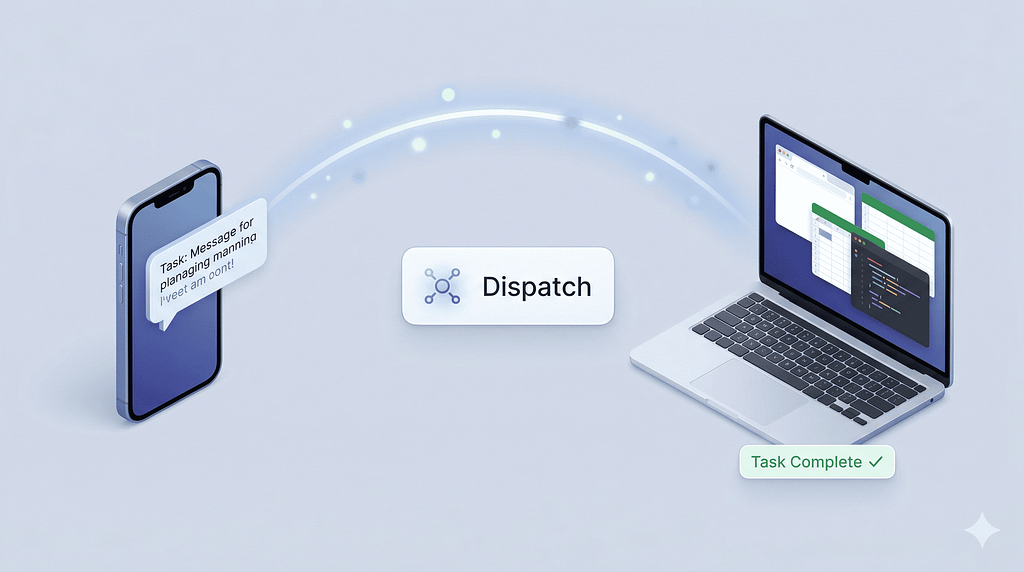
Dispatch is the companion feature that makes computer use genuinely useful in practice. Without it, computer use requires you to be sitting at your Mac to assign tasks. With it, you can delegate from anywhere and come back to finished work.
Dispatch was released the week before computer use — on approximately March 17, 2026 — and is available in both Claude Cowork and Claude Code. The concept is simple but the execution matters:
One continuous conversation across devices. Dispatch creates a persistent thread between your phone (Claude mobile app) and your desktop (Claude Desktop). It’s not two separate sessions that sync — it’s one conversation that follows you.
You assign, Claude works, you return. From your phone, you send a task. Claude picks it up on your Mac, uses your actual desktop environment — your files, your apps, your integrations — and does the work. When you get back to your desk, the output is waiting.
Anthropic’s officially demonstrated use cases give you a good sense of the range:
- Morning briefing while commuting: Tell Claude once to check your emails every morning and compile a briefing. It runs on your Mac while you’re on the train. You arrive to a summary.
- IDE changes + PR while you’re away: Ask Claude to make changes in your code editor, run tests, and push a pull request. You do something else. The PR is up when you’re back.
- Recurring data pulls: Tell Claude to pull specific metrics every Monday morning. It does it on schedule using your actual browser, logged into your actual accounts.
- 3D printing / long-running projects: Keep a project moving according to your initial plan while you sleep or work on something else.
The phone piece is crucial here. Without mobile assignment, “Claude does work while you’re away” just means you start a session, leave, and hope it finishes. With Dispatch, you can kick off a task on your commute, in a meeting, or at dinner — from the device that’s always with you — and delegate the actual execution to your always-on desktop.
Key Insight: Dispatch solves the “AI agent must be supervised” problem not with more autonomy but with better handoff. You stay in control via your phone. Claude works via your Mac. The gap between them closes.
How to Set It Up: Step-by-Step

This is the part most coverage skips over. The good news: it’s genuinely simple. No API keys, no terminal commands, no bot creation. Just two apps and one toggle.
Requirements:
- Claude Pro ($20/month) or Max ($100/month) subscription
- macOS (Windows support is not yet available)
- Claude Desktop app — latest version (download at claude.com/download)
- Claude mobile app — latest version (iOS or Android)
- Desktop must be awake and running when tasks execute
Step 1: Update Claude Desktop
Download or update to the latest Claude Desktop from claude.com/download. The computer use feature requires a recent version.
Step 2: Enable Computer Use in Desktop Settings
Open Claude Desktop → Settings → General → Find the Computer use toggle → Turn it on.
That’s the entire setup for computer use. No permissions dialogs, no app whitelisting at this stage. Claude will request permission before accessing each new application the first time it needs it.
Step 3: Set Up Dispatch (Phone Pairing)
Update your Claude mobile app to the latest version. Open Claude on your phone. Look for the Dispatch or Cowork section in the app — you’ll see a pairing prompt. Follow the instructions to pair your phone with your desktop.
Once paired, one continuous conversation thread becomes available across both devices. Tasks you send from your phone appear in the same session as your desktop work.
Step 4: Start With a Simple Task
Anthropic recommends starting with apps you trust and avoiding sensitive data in the research preview. A good first task: ask Claude to open your browser, go to a specific URL, and extract some information. This gives you a feel for how the screen navigation works before you hand off anything important.
Step 5: Try a Dispatch Handoff
Send a task from your phone while your Mac is running. Something low-stakes but real: “Open the spreadsheet on my desktop called Q1_review.xlsx, add a row at the bottom with today’s date and the text ‘Review complete’, and save it.” Come back to your Mac and verify. This is the full Dispatch workflow in its simplest form.
What Claude Can Actually Do on Your Computer
Based on the official launch materials, Anthropic’s demos, and early user reports, here’s what computer use can handle:
Files and documents:
- Open files from your desktop, folders, or Finder
- Read content from PDFs, spreadsheets, presentations, text files
- Edit documents in apps like Pages, Numbers, Word, Excel
- Export files in different formats (e.g., export Keynote as PDF)
Browser tasks:
- Navigate to any URL
- Fill in forms
- Extract data from web pages
- Interact with web apps (dashboards, CRMs, internal tools) that lack a connector
- Manage browser tabs and windows
Developer workflows (in Claude Code):
- Make changes in your IDE
- Run test suites
- Push pull requests
- Monitor build outputs and logs
Scheduled / recurring tasks (via Dispatch):
- Check emails every morning and compile a briefing
- Pull weekly metrics from a dashboard
- Any task you want to run on a schedule without manual triggering
What it explicitly won’t do by default:
- Stock trading or investment transactions
- Input sensitive data (financial credentials, passwords, medical records)
- Gather or scrape facial images
- Access financial, legal, or medical apps without explicit user permission
These restrictions are baked into Claude’s training, not just the interface. The model is specifically trained to avoid these categories even if instructed otherwise.
Current Limitations You Need to Know
Anthropic is being unusually candid about this being early-stage. Here’s the real list of constraints — not the marketing version.
macOS only. This is the biggest limiter right now. Windows support is not available. Anthropic has confirmed it’s coming, and given that Cowork added Windows support in February 2026, computer use likely follows the same path — but there’s no timeline. Linux is not mentioned at all.
Desktop must stay awake and running. Claude cannot wake your Mac remotely. If your Mac goes to sleep, screen lock kicks in, or the Claude Desktop app closes, any active task stops. For Dispatch workflows where you’re away from your machine, you need to configure your Mac to stay awake — either through macOS energy settings or by leaving it actively running. This is the most common point of friction in early user reports.
Screen-based operations are slower than direct integrations. Claude navigating a browser and clicking through a web UI is inherently slower than a direct API call. For tasks that could be handled by a connector, the connector will always win on speed and reliability. Computer use is the fallback, not the first choice.
Complex multi-app tasks sometimes need multiple attempts. Anthropic says directly: “complex tasks sometimes need a second try.” Screen-based automation has a higher failure rate than code-based automation. If the UI layout changes slightly, or an unexpected dialog appears, Claude may get confused. This is a research preview — the expectation is iteration, not perfection.
Team and Enterprise plans excluded. Currently available only for Claude Pro and Max individual subscribers. Team and Enterprise plans do not have access in the research preview. This likely changes, but it means businesses can’t deploy this at scale yet.
Sensitive apps are off-limits by default. Claude will not access financial apps, medical apps, or legal document systems without explicit permission — and Anthropic strongly advises against granting that permission during the preview. Claude takes screenshots of visible screen content, which means sensitive data displayed on screen could theoretically be processed.
Claude Computer Use vs OpenClaw: Honest Comparison
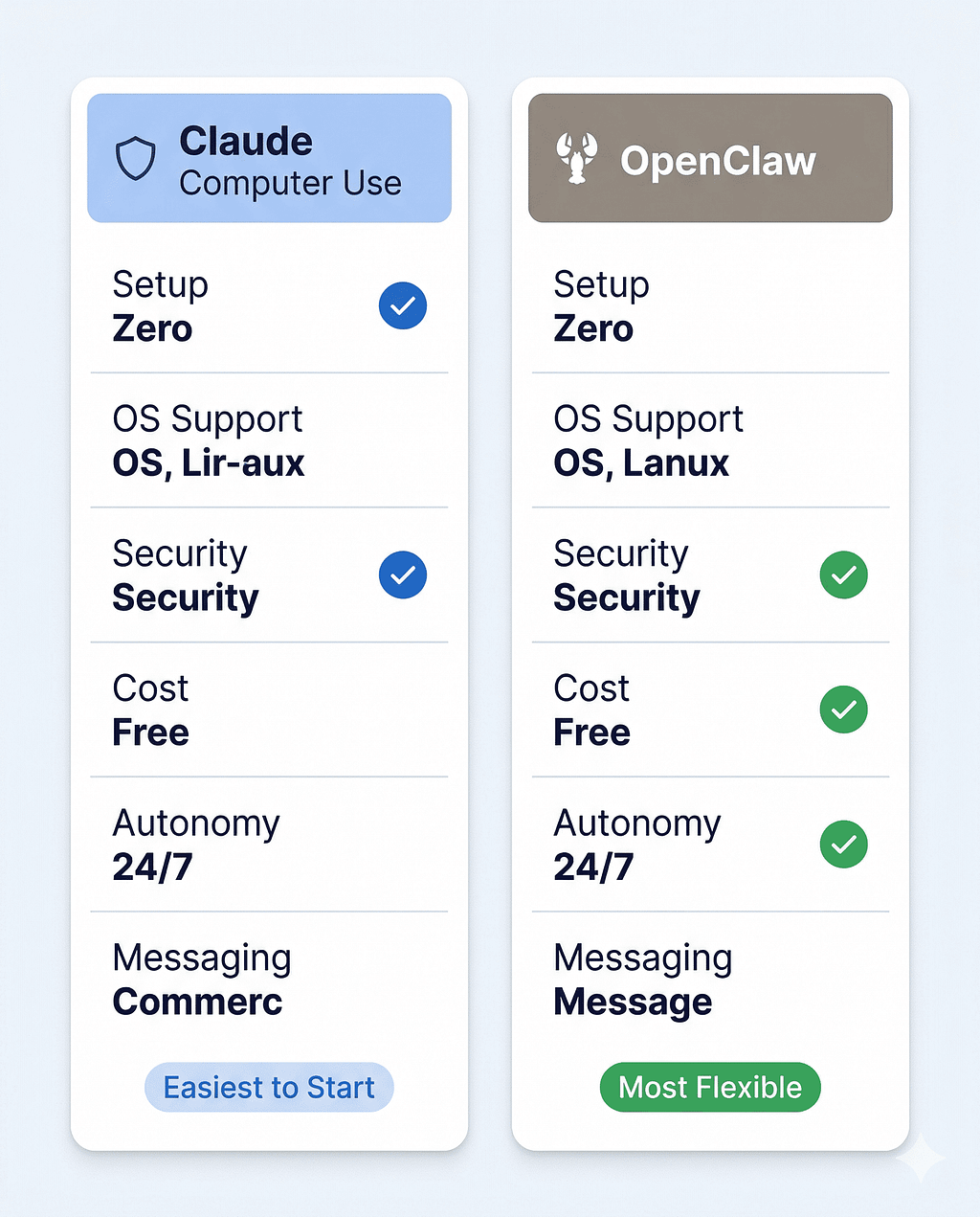
The “OpenClaw killer” framing is everywhere right now. Let me give you the actual comparison, because the two products solve meaningfully different problems.
Claude Computer Use + Dispatch OpenClaw Interface Claude mobile app → Mac desktop 30+ messaging platforms (WhatsApp, Telegram, Discord, etc.)
Setup Zero (toggle in settings) High (Node.js, CLI, API keys, bot creation)
OS support macOS only macOS, Windows, Linux
Security model Anthropic-managed, permission-first Self-managed (CVE-2026–25253 patched)
Cost Pro $20/mo or Max $100/mo Free (pay API costs)
Autonomous operation Limited (session-based, needs Desktop awake) 24/7 autonomous with cron scheduling
Persistent memory Dispatch thread (session-based) Cross-session persistent memory
Model flexibility Claude only Any LLM (Claude, GPT, DeepSeek, local via Ollama)
Team/Enterprise Not yet Available (self-hosted)
Screen-based control Yes (native) Yes (via skills)
Skills/extensions Connectors + Claude plugins ClawHub community skills registry (security caveats apply)
The honest summary: Claude computer use is safer and easier; OpenClaw is more powerful and more flexible.
Claude’s version is more locked down. The system uses a permission-first approach and requests user access before touching a new app. In contrast, OpenClaw supports macOS, Windows, and Linux, runs 24/7 without your supervision, and can be messaged from WhatsApp while Claude computer use requires the Claude mobile app and an awake Mac.
Where Claude wins clearly: zero setup, Anthropic’s security model, no community skills registry to audit, no CVE to patch yourself. For someone who wants an AI desktop agent without becoming a sysadmin, Claude’s implementation is the right choice today.
Where OpenClaw still wins: cross-platform support, true 24/7 autonomy, model flexibility, and the ability to run on a $5 VPS instead of requiring your personal Mac to stay awake. If you need an agent that operates while your laptop is closed, OpenClaw with a dedicated machine or cloud deployment is still the answer.
The “OpenClaw killer” framing only works if your use case is: Mac user, Pro/Max subscriber, comfortable with a session-based rather than always-on agent. For that profile, yes — Claude computer use is a better answer than OpenClaw. For Windows users, budget-conscious developers, or anyone who wants true 24/7 autonomous operation, the comparison is more nuanced.
Key Insight: The gap Claude is closing isn’t “OpenClaw’s feature set” — it’s the “powerful AI agent that normal people can actually use safely.” That’s a real and important gap, and computer use + Dispatch closes it meaningfully for Mac users on a subscription plan.
Is It Safe to Let Claude Control Your Computer?
This is the right question to ask, and Anthropic’s answer is more thoughtful than most.
The safety architecture has three layers:
Permission-first access. Claude requests explicit permission before accessing any new application. You see a clear prompt. You approve or deny. It cannot access apps silently. You also have the ability to stop Claude at any point — there’s no “autonomous mode” where it operates outside your control during a session.
Prompt injection detection. Computer use creates a new attack surface: malicious content on a webpage or in a file could contain hidden instructions trying to redirect Claude’s behavior. Anthropic’s system automatically scans model activations to detect prompt injection attempts while Claude is using your computer. This is a technical safeguard baked into the model’s operation, not just a policy statement.
Training-level restrictions. Claude is specifically trained to refuse certain categories even if asked: no stock trading, no inputting sensitive credentials, no scraping facial data, no financial transactions. These aren’t just UI-level guardrails — they’re trained behaviors.
What you should still be careful about:
- Screenshots capture everything visible. When Claude navigates your screen, it takes screenshots to understand what’s displayed. Anything on screen — documents, messages, other app content — can be processed. Keep sessions focused on the task and close sensitive apps before running computer use.
- Research preview = imperfect safeguards. Anthropic says explicitly: “while we continue to improve our safeguards, threats are constantly evolving.” Take that seriously. Don’t use this with financial accounts, medical records, or legal documents during the preview period.
- Your Mac must stay unlocked. Any autonomous operation requires your screen to be accessible. If you’re leaving your Mac unattended with computer use running, make sure your physical environment is secure.
The security posture here is genuinely better than OpenClaw’s research preview state — which had a critical RCE vulnerability (CVE-2026–25253) with 50,000+ exposed instances and a community skills registry with malicious entries. Anthropic’s managed model, dedicated security team, and audited implementation set a higher baseline.
That said, “better than OpenClaw’s security” is not the same as “production-ready for sensitive workflows.” This is a research preview. Treat it accordingly.
FAQ
What is Claude computer use and what can it do?
Claude computer use is a research preview feature (launched March 23, 2026) that lets Claude control your Mac — opening apps, navigating browsers, filling in forms, editing documents, and running dev tools — when it doesn’t have a direct connector for a task. It falls back to screen-based control only when a more precise integration isn’t available. Available for Claude Pro and Max subscribers on macOS only.
What is Dispatch and how does it work with computer use?
Dispatch is a feature in Claude Cowork and Claude Code that creates one continuous conversation thread across your phone and your Mac. You assign a task from your phone (Claude mobile app), and Claude executes it on your desktop using your files, apps, and integrations. Computer use makes Dispatch more powerful by letting Claude operate any app on your Mac, not just those with direct connectors.
How do I set up Claude computer use?
Update Claude Desktop to the latest version, go to Settings → General → turn on the Computer use toggle. That’s it — no API keys, no terminal commands, no bot creation. You’ll also need to pair your phone via the Claude mobile app for Dispatch. Claude requests permission before accessing each new app the first time.
Is Claude computer use available on Windows?
Not yet. As of March 2026, computer use is macOS only. Anthropic has confirmed Windows support is coming but hasn’t announced a timeline. Cowork added Windows support in February 2026, suggesting computer use will follow a similar expansion path.
How is Claude computer use different from OpenClaw?
Claude computer use is a managed, permission-first desktop agent requiring zero setup, available only on macOS, and accessible only through the Claude mobile app. OpenClaw is a self-hosted, open-source agent that works on macOS, Windows, and Linux, supports 30+ messaging platforms, runs 24/7 autonomously, and is free (you pay API costs). Claude is safer and easier; OpenClaw is more flexible and platform-agnostic.
Does Claude computer use work while my Mac is asleep?
No. Your Mac must be awake, unlocked, and running Claude Desktop for any computer use task to execute. This is the most significant limitation for Dispatch workflows. You need to configure your Mac’s energy settings to stay awake, or leave it actively running when you assign tasks from your phone.
Which Claude plans include computer use?
Claude Pro ($20/month) and Claude Max ($100/month and $200/month tiers) both include computer use in the research preview. Team and Enterprise plans are not included in the current research preview. API key authentication is not supported — you must log in via a claude.ai subscription.
What tasks should I avoid with Claude computer use?
Anthropic specifically advises against using computer use with financial accounts, legal documents, medical information, or any app containing others’ personal data. Claude is trained to refuse stock trading, inputting sensitive credentials, and scraping facial images. During the research preview, stick to tasks where a mistake is recoverable and sensitive data isn’t on screen.
Key Takeaways
- Launched March 23, 2026, research preview — Claude computer use lets Claude point, click, and navigate your Mac when direct connectors aren’t available. Dispatch (launched ~March 17) is the phone-to-desktop task handoff that makes it genuinely useful while you’re away.
- Connector-first, screen-control as fallback — Claude always tries a direct integration first (Slack, Google Calendar, etc.). Computer use only fires when no connector exists. This is the right architecture: fast paths for common apps, screen control for everything else.
- Zero setup for Pro and Max subscribers — one toggle in Claude Desktop settings. No bot creation, no API keys, no terminal. This is the biggest practical advantage over OpenClaw for non-technical users.
- macOS only, desktop must stay awake — the two real constraints. Windows is coming but unscheduled. Your Mac must be running and unlocked for any Dispatch task to execute.
- Safer than OpenClaw, less autonomous than OpenClaw — permission-first architecture, Anthropic’s security team, prompt injection scanning. But no 24/7 operation, no messaging platform flexibility, no cross-platform support yet.
- Research preview means imperfect — Anthropic is honest: complex tasks sometimes need multiple attempts, screen operations are slower than API integrations, and safeguards are still evolving. Start with low-stakes tasks.
- The real shift is interaction model — computer use + Dispatch moves Claude from “AI you talk to at a keyboard” toward “AI you delegate to from your phone.” That’s a meaningful change in how developers and knowledge workers interact with AI tooling.
Tried Claude computer use yet? Tell me what task you tested first — and whether it worked on the first attempt. Leave a comment or hit the clap button if this breakdown saved you time. I read every response.
About the Author
I cover Anthropic’s product releases, AI agent frameworks, and the practical reality of building with AI tools in 2026. This post is part of an ongoing series on Claude’s expanding agentic capabilities. Related reading: [Claude Code Channels: Message Your AI Agent from Telegram and Discord], [OpenClaw AI Agent Explained].
Claude Can Now Control Your Computer: How Dispatch Works, What It Can Do, and Its Honest… was originally published in Towards AI on Medium, where people are continuing the conversation by highlighting and responding to this story.